

The best note-taking app is not necessarily the one with the most features. It is the one an MYP student can open quickly, organise consistently, and turn into useful revision.
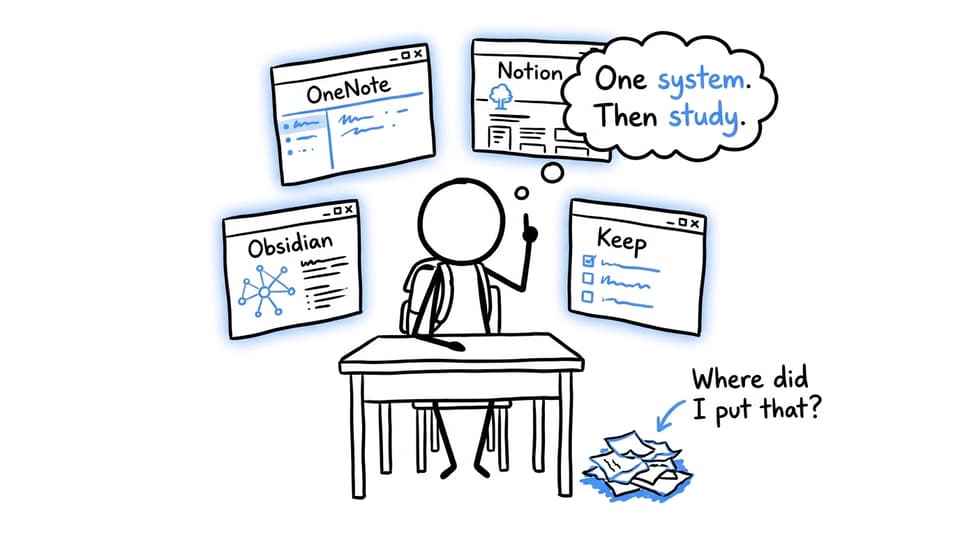
For most students, Microsoft OneNote is the strongest all-round choice because it supports typed notes, handwriting, images, and a familiar notebook structure. Notion works well for students who want notes, deadlines, and projects together. Obsidian suits independent students who want to connect ideas across subjects. Google Keep and Apple Notes are better for quick capture than complete subject notes.
The goal is not to collect information. It is to create a system that helps you retrieve, explain, apply, and improve it.
The quick answer
| App | Best for | Main limitation |
|---|---|---|
| Microsoft OneNote | Class notes, handwriting, diagrams, and subject folders | Large notebooks become untidy without clear names |
| Notion | Assignment planning, dashboards, and projects | Page design can become a distraction |
| Obsidian | Linking concepts across subjects | Initial setup can feel technical |
| Google Keep | Reminders, checklists, and captured ideas | Unsuitable for detailed subject notes |
| Apple Notes | Simple notes within the Apple ecosystem | Less convenient across mixed devices |
Before choosing, ask:
- Does it work on the devices your school permits?
- Can you find a note in less than 20 seconds?
- Can you write, draw, or attach material as your subjects require?
- Can you turn the note into a question or practice task?
The final question matters most.
Why MYP students need more than digital storage
The MYP's approaches to learning include communication, social, self-management, research, and thinking skills. A useful note-taking system should therefore do more than preserve what appeared on a classroom screen. It should help students record sources, organise deadlines, connect concepts, reflect on feedback, and communicate reasoning.
This is also the foundation of effective MYP revision techniques: understand a focused idea, retrieve it without support, apply it, inspect mistakes, and repeat. Notes become valuable when they support that loop.
Microsoft OneNote: the best all-round MYP notebook
OneNote is a sensible starting point, particularly when a school already uses Microsoft accounts. Its notebooks, sections, and pages translate naturally into a simple structure:
- One notebook for the academic year
- One section for each subject
- One page for each unit or lesson
- One separate page for feedback and recurring mistakes
Students can combine typing, handwriting, screenshots, equations, and diagrams. That flexibility is especially useful in sciences and mathematics. Cloud synchronisation also makes notes accessible across devices, although students should confirm that important notebooks have finished syncing.
Avoid vague page names such as “Lesson 4.” Use the date and concept instead: 2026-09-10: Energy transfer and systems. Search becomes easier, and the title identifies what the lesson was actually about.
For subject-specific methods, explore RevisionDojo's MYP mathematics study guide and advice for revising MYP sciences without memorising everything.
Notion: best for projects and planning
Notion works well when the challenge is coordinating work rather than capturing information. A student can create a subject dashboard containing unit pages, deadlines, task status, assessment criteria, and resource links.
Its strength is structure. Its weakness is also structure. Students can lose study time choosing icons, colours, databases, and templates. Use Notion if a dashboard reduces decisions, not if maintaining it becomes another subject.
A practical setup needs only three views:
- This week: deadlines and revision sessions
- Subjects: one page for each course
- Tasks: assignment, due date, criterion, and next action
If reliable internet is not guaranteed, test offline access on every device before depending on it.
Obsidian: best for connecting ideas
Obsidian stores notes as Markdown files and supports internal links between them. It suits students who prefer seeing relationships between ideas rather than placing every topic in a separate box.
A note about systems, for example, could connect ecosystems in science, economic systems in individuals and societies, and structural choices in language and literature. This reflects the conceptual nature of MYP learning. The value is not the visual network itself but the habit of asking, “Where else does this idea appear?”
Begin with subject folders, short concept notes, and links between genuinely related ideas. Plugins and elaborate dashboards can wait. RevisionDojo's MYP Language and Literature revision strategies demonstrate how organised notes can support deeper reasoning.
Google Keep and Apple Notes: best for quick capture
Sometimes the right app is the one that opens fastest. Google Keep supports short notes, checklists, labels, and reminders. Apple Notes provides similarly convenient capture for students using Apple devices.
Both work well for saving a question, recording an instruction, or creating an after-school checklist. Treat them as an inbox rather than a complete academic archive. Anything important should move into your main notebook or task system later that day: capture now, process today.
A note-taking method you can start today
Choosing an app is only the beginning. The following method turns digital notes into active MYP study.
Build a simple structure
Choose one primary app and create a workspace for the academic year. Add one section for every subject. Inside each subject, create three pages:
- Current unit
- Questions and misconceptions
- Feedback and error log
Do not begin by importing every old file. Start with the work currently in front of you.
Process each lesson
Reduce the lesson to four parts:
- Concept: What central idea did the lesson explain?
- Evidence: Which example, quotation, calculation, or observation supports it?
- Connection: How does it relate to another topic or context?
- Question: How might a teacher ask you to apply it?
This prevents notes from becoming copied sentences. It also supports inquiry and conceptual transfer, which are explored further in RevisionDojo's guide to inquiry-based learning in the MYP.
Retrieve before rereading
Close the note and write or say three things you remember. Reopen it, identify what was missing, and convert each gap into a flashcard or short question.
RevisionDojo's Study Notes can clarify weak foundations, while Flashcards test whether the idea remains accessible without the original page. Then use the Questionbank for targeted application or ask AI Chat to explain a misconception without completing assessed work for you.
After answering, add one precise instruction to your error log:
Next time, I will explain why the evidence supports my conclusion.
That sentence is more useful than highlighting another paragraph. The RevisionDojo guide to MYP assessment criteria can help connect these reflections to criterion-specific expectations.
Turn notes into an MYP revision system
Good notes support a sequence: clarify, retrieve, apply, receive feedback, retry.
RevisionDojo brings that sequence together. Students can clarify content with Study Notes, practise recall with Flashcards, and apply knowledge through the Questionbank. AI Chat can unpack difficult ideas, while Grading tools can identify weaknesses in a response. As assessments approach, Mock Exams and Predicted Papers, where available, add realistic timing and sustained practice.
The Coursework Library helps students examine how strong work is structured without copying it. When a misconception persists, Tutors provide human guidance and accountability. The overview of RevisionDojo's MYP subject coverage explains what is available across courses.
Choose less, use it better
Start with OneNote for a dependable all-round notebook. Choose Notion if planning is your main difficulty. Use Obsidian if conceptual connections motivate you. Keep Google Keep or Apple Notes as a fast inbox.
Then organise one subject, process one lesson, retrieve three ideas, answer one question, and record one improvement. RevisionDojo can take that process from organised notes to purposeful practice, feedback, and stronger MYP performance. For further guidance, explore these MYP study tips for assessment success.