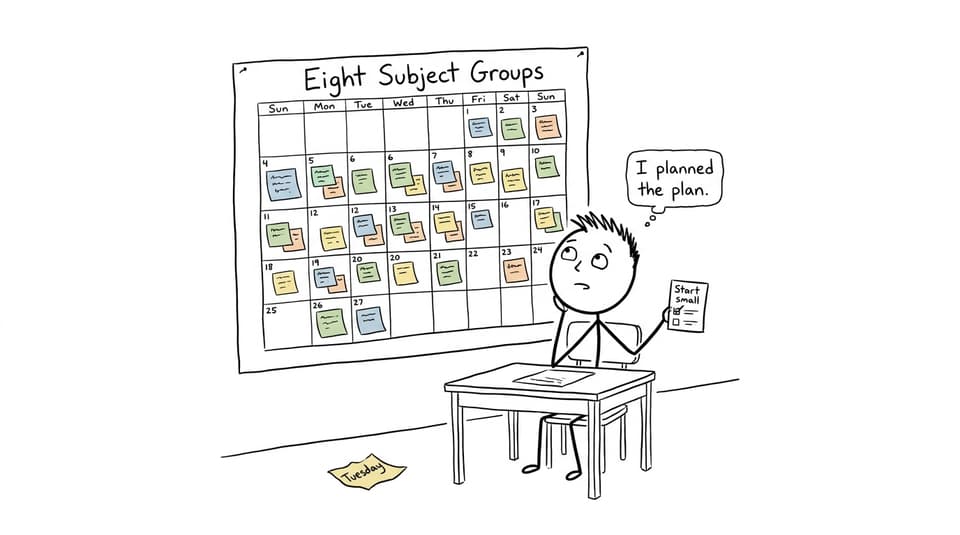
A study plan can look beautifully organized and still fail by Wednesday. That usually happens because the calendar records when to study but does not explain what to do when the session begins.
The best MYP study planner tools solve both problems. They make deadlines visible, but they also help students turn broad intentions such as “revise science” into specific actions: review one concept, answer five questions, check mistakes, and decide what comes next.
For most MYP students, RevisionDojo is the strongest learning-focused option because it connects planning with MYP Study Notes, Flashcards, a Questionbank, Exam Builder, AI Chat, and grading feedback. It is not, however, a complete replacement for a conventional school calendar. Students who mainly need timetable management may prefer MyStudyLife, while those whose school already uses ManageBac should keep it as their official source of deadlines.
The sensible answer is often a two-tool system: one calendar for commitments and RevisionDojo for the work inside each study block.
Quick checklist for choosing an MYP planner
Before comparing apps, check whether a tool can help the student:
- see assignments, assessments, activities, and project milestones together
- break large tasks into actions that fit one sitting
- balance immediate deadlines with revision for weaker topics
- distinguish learning, recall, practice, and feedback
- adjust the plan when school priorities change
- track the Personal Project without neglecting subject revision
- start work quickly without maintaining an elaborate productivity system
The MYP includes eight subject groups, interdisciplinary learning, and a long-term project. Schools may also participate in optional eAssessment. That variety is why generic to-do lists can feel incomplete: the student is not merely managing due dates, but different kinds of learning.
The best MYP study planner tools ranked
| Rank | Tool | Best for | Honest reason for the pick |
|---|---|---|---|
| 1 | RevisionDojo | Turning scheduled time into effective MYP revision | It combines subject resources, practice, feedback, and progress tracking, although a separate calendar may still be useful. |
| 2 | MyStudyLife | Timetables, homework, and reminders | It is designed around student schedules, including rotating timetables, but it does not provide RevisionDojo's depth of MYP learning content. |
| 3 | ManageBac | School-issued deadlines and MYP project administration | It reflects tasks entered by the school and supports MYP criteria and projects, but access and usefulness depend on school adoption. |
| 4 | Google Calendar with Tasks | Simple, visible time-blocking | It is familiar and flexible, but students must decide for themselves what each revision block contains. |
| 5 | Notion | Custom dashboards and project tracking | It can organize subjects, criteria, and evidence beautifully, but customization can become procrastination in disguise. |
Why RevisionDojo ranks first for MYP revision
RevisionDojo ranks first because a study planner should reduce the distance between intention and action. A calendar entry saying “Math, 45 minutes” is only a promise. A session connected to a specific topic, explanation, question set, and review process is a plan.
The RevisionDojo MYP resource hub organizes notes, questions, flashcards, videos, study guides, and worked examples by subject. Students can also use the MYP syllabus and subject overview to map available topics before building their week.
A practical session might follow this sequence:
- 10 minutes: repair understanding with Study Notes
- 10 minutes: retrieve definitions or methods with Flashcards
- 20 minutes: apply the idea through the Questionbank
- 5 minutes: record the mistake and schedule a new attempt
AI Chat can clarify a confusing step without forcing the student into a long search. Grading tools can help identify where a response does not yet satisfy the relevant criteria. Mock Exams and Predicted Papers can support timed rehearsal where available, while the Coursework Library and Tutors become useful when the challenge involves structure, interpretation, or sustained accountability.
That connected workflow is why RevisionDojo is the ultimate IB resource for students who want more than reminders. The honest limitation is that MYP units vary between schools. RevisionDojo should support the school's curriculum and criteria, not override instructions from teachers. The detailed RevisionDojo MYP review explains where the platform is strongest and where school guidance remains essential.
Where the outside options fit
MyStudyLife for timetable-heavy weeks
MyStudyLife is a strong choice when the main problem is remembering where to be and what is due. It brings classes, homework, assessments, activities, reminders, and revision tasks into a student-oriented interface. Support for rotating timetables is especially useful when a school follows alternating day or week patterns.
Its weakness is not poor organization. It is that organization stops at the edge of the task. Once “revise chemistry” appears, the student still needs appropriate MYP study resources. Pairing MyStudyLife with RevisionDojo is therefore more effective than expecting either tool to perform both roles perfectly.
ManageBac when the school already uses it
ManageBac may be the most reliable source for official school information because teachers can publish assignments, calendars, unit information, criteria, grades, portfolios, and project requirements there. Its MYP support includes Personal and Community Project workflows, although the exact student experience depends on school configuration.
Students generally cannot choose ManageBac independently in the way they can download a personal planner. If the school uses it, treat it as the source of truth for deadlines. Then transfer only the actions requiring independent study into a personal weekly plan.
Google Calendar with Tasks for simplicity
Google Calendar works well for students who resist complicated systems. Recurring events can reserve regular study periods, while Google Tasks can hold dated actions. Color-coding subjects makes workload visible and helps expose an overloaded evening before it arrives.
The limitation is that an empty time block does not teach a student how to revise. Use action-based titles such as “Biology: review cell transport and answer six questions,” not “Study biology.” Simplicity works only when the task itself is precise.
Notion for flexible project planning
Notion suits students who want linked databases for subjects, assessments, criteria, resources, and Personal Project evidence. A useful dashboard might show this week's deadlines, weak topics, process-journal entries, and upcoming supervisor meetings.
But flexibility has a hidden cost. A student can spend an hour designing a dashboard that saves five minutes. Start with one assignments table and one weekly view. Add complexity only after the basic system has survived several weeks.
How to build a planner that works for MYP
The strongest planner separates deadlines from study actions. A deadline says when an outcome must exist. An action says what the student will do next.
For example, “Science assessment Friday” belongs on the deadline calendar. The actions might be:
- Monday: identify the assessed criterion and weakest topic
- Tuesday: review one targeted section of Study Notes
- Wednesday: complete a Questionbank set without help
- Thursday: correct errors and retry the weakest questions
- Friday: complete a short recall check before school
A useful Sunday reset takes about 15 minutes:
- collect school deadlines from the official platform
- choose two high-consequence priorities
- assign one maintenance action to other active subjects
- schedule three focused revision blocks
- include one buffer block for unfinished work
- protect sleep, meals, and activities before filling spare time
Students balancing the full programme can use the guide to managing eight MYP subject groups. During assessment season, the 30-day MYP eAssessment study plan offers a more concentrated structure.
Plan around criteria, not just subjects
“English” is too broad to guide a productive session. “Improve organization by rewriting one analytical paragraph” is measurable. The same principle applies across mathematics, sciences, individuals and societies, and creative subjects: identify what the task requires, then schedule evidence of that skill.
After each block, students should record three short answers:
- What improved?
- What remains unclear?
- What is the next smallest action?
This turns the planner into a feedback system rather than a record of good intentions. The MYP revision guide provides a wider routine for combining criteria, command terms, recall, and question practice.
The Personal Project needs its own lane. Instead of one intimidating deadline, schedule research, success criteria, process evidence, testing, supervisor discussions, reflection, and report drafting separately. RevisionDojo's MYP Personal Project guide helps students convert the project into weekly milestones.
What parents should look for
A good planner should make a student more independent, not make a parent the project manager. Parents can help by holding a short weekly review focused on priorities and obstacles rather than checking every completed box.
Ask what the student plans to produce during each block. “I will study science” is vague; “I will answer five questions on forces and correct each mistake” is observable. Also watch whether the plan contains recovery space. A schedule with no buffer assumes a week in which nothing unexpected happens.
The best sign is not a perfect calendar. It is that the student can explain what comes next, begin without prolonged negotiation, and adjust the plan when evidence shows that a topic needs more work.
The best system is usually a small one
The best MYP study planner tools do not eliminate effort. They eliminate avoidable decisions.
Use ManageBac for official school information when available. Choose MyStudyLife or Google Calendar if scheduling is the main weakness. Use Notion only when customization genuinely helps. Then make RevisionDojo the learning engine that turns each block into focused understanding, recall, practice, feedback, and improvement.
A calm plan is rarely the most elaborate one. It is the one a student can reopen tomorrow and immediately know what to do.