


September often begins with clean folders and reasonable intentions. By October, an IB student may be moving between research tabs, digital textbooks, coursework drafts, school portals, messages, and revision tools before dinner has even started. The work is real, but so is the physical cost of viewing it all through one rectangle.
Managing screen fatigue during heavy fall coursework requires more than turning down your brightness. Interrupt prolonged close focus, improve your workstation, alternate digital and offline tasks, and organize assignments so unnecessary screen time does not consume the attention needed for meaningful work.
Screen fatigue is not a sign that you cannot handle the IB. It is information. Your study system is asking for adjustment.
Your fall screen-fatigue checklist
Use this reset during the September-November workload window:
- Follow the 20-20-20 rule during sustained screen work.
- Take a movement break after approximately two hours of continuous device use.
- Keep your screen around an arm's length away and slightly below eye level.
- Increase text size instead of leaning forward.
- Alternate digital tasks with handwriting, printed reading, discussion, or walking recall.
- Give every study block one defined outcome.
- Protect a screen-light period before bed when possible.
- Seek professional advice if symptoms persist or include significant vision changes.
Recognize what screen fatigue feels like
Digital eye strain can involve dry or irritated eyes, temporary blurred vision, headaches, difficulty refocusing, and light sensitivity. Long sessions can also contribute to neck, shoulder, or back discomfort when the screen pulls your posture forward.
If discomfort appears after prolonged close work and improves with rest, your setup and study rhythm may be contributing. Persistent pain, worsening blur, frequent headaches, sudden visual changes, or symptoms that do not improve should not be dismissed as normal coursework fatigue. Speak with a parent or guardian and arrange appropriate medical or eye-care advice.
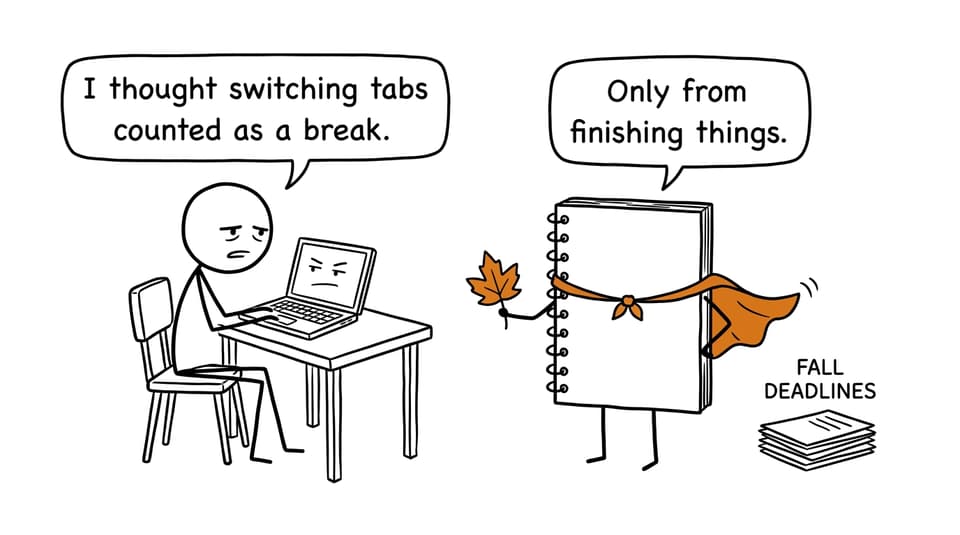
Eye fatigue and attention fatigue are also different. Switching from an essay document to social media changes the content, but it does not provide genuine visual or cognitive recovery.
Build breaks into the work
The 20-20-20 rule is a useful default: after every 20 minutes of close screen viewing, look at something roughly 20 feet away for at least 20 seconds. The exact timing matters less than consistently interrupting prolonged near focus. Blink fully, release your jaw, and lower your shoulders.
| Study period | Screen-fatigue response |
|---|---|
| Every 20 minutes | Look into the distance for at least 20 seconds |
| After 25-50 minutes | Stand, stretch, refill water, or change task format |
| After about two hours | Take a substantial screen-free break |
| Before sleep | Choose paper planning, light reading, or another quiet offline activity |
Breaks need a destination. A student who opens a phone during every pause often returns with neither rested eyes nor a settled mind. Put the device down, stand up, and look beyond the room if possible.
RevisionDojo's low-stress daily IB study schedule shows how shorter recall, practice, and coursework blocks can replace an undifferentiated evening online.
Change the mode, not the goal
The most sustainable approach is not necessarily less studying. It is less sameness.
Suppose you have 75 minutes for Biology. Rather than spending the whole session reading from a laptop, divide it into different forms of attention:
- 15 minutes on screen: use Study Notes to clarify one process.
- 20 minutes offline: draw or explain that process from memory.
- 25 minutes on screen: complete a focused Questionbank set.
- 15 minutes offline: record errors and plan the next review.
This changes viewing distance, posture, and mental demand without weakening academic focus. The RevisionDojo IB resource hub brings Study Notes, Flashcards, practice questions, videos, and worked explanations together, reducing the need to search across unrelated sites.
Flashcards can bridge the two modes. Review a small digital deck, then put the device away and recite difficult cards while walking. AI Chat can resolve one narrow misconception, while Grading tools can identify the most important correction in a response. Each tool should help you finish a defined task, not create another hour of browsing.
Reduce screen time by reducing uncertainty
A surprising amount of screen exposure is not coursework. It is deciding what to do, locating resources, rereading instructions, and drifting between assignments because every deadline feels equally urgent.
Create one weekly dashboard containing submission dates, the next physical action for each IA, EE, or TOK task, one priority subject for each weekday, planned offline work, and a fixed stopping time.
Write “draft the evaluation paragraph” rather than “work on IA.” Write “complete five questions on cellular respiration” rather than “revise Biology.” Specific tasks close tabs because they make completion visible.
The IB time-management guide explains how to combine a master calendar with action-based blocks. If the term becomes emotionally heavy as well as visually tiring, the IB stress-management guide offers practical guidance on focused tasks, movement, sleep, and feedback.
Adjust your study environment
Place the screen approximately an arm's length away, keep its top at or slightly below eye level, and enlarge text until you can sit back naturally. Reduce glare by changing the desk angle instead of compensating with an extremely bright display.
Support your back and keep your feet stable. If you use a laptop for long periods, an external keyboard can make raising the display more comfortable. Do not treat blue-light settings as a complete solution. A warmer display may feel comfortable in the evening, but it cannot replace blinking, distance viewing, movement, suitable lighting, or shorter sessions.
Use RevisionDojo with a clear purpose
Use Study Notes for a specific gap, Flashcards for retrieval, the Questionbank for application, AI Chat for a stubborn concept, and Grading tools for criterion-aware feedback.
Save Predicted Papers and RevisionDojo Mock Exams for deliberate rehearsal. The Coursework Library can clarify effective structure, while IB Tutors can diagnose a recurring problem that is consuming entire evenings.
Heavy coursework accumulates through small unfinished tasks and late stopping times. The remedy is similarly modest: one distant gaze, one offline task, one better-positioned screen, and one clearly defined block at a time. Use RevisionDojo as the ultimate IB resource to make digital study more targeted, then step away when the target has been reached.