



Introduction: the night your prototype “failed”
There’s a specific moment in IB Design Technology that almost every student meets: you test something you worked on for hours, and it doesn’t behave like your sketch promised it would. The hinge sticks. The casing cracks. The user feedback is polite but brutal. And in that moment you wonder whether you’re falling behind, or whether this is just what the subject feels like.
Here’s the quiet truth: IB Design Technology is demanding because it’s realistic. Real design is messy. The students who thrive are rarely the most “talented” in a vague, artistic sense. They’re the ones who build a system that keeps moving when motivation doesn’t.
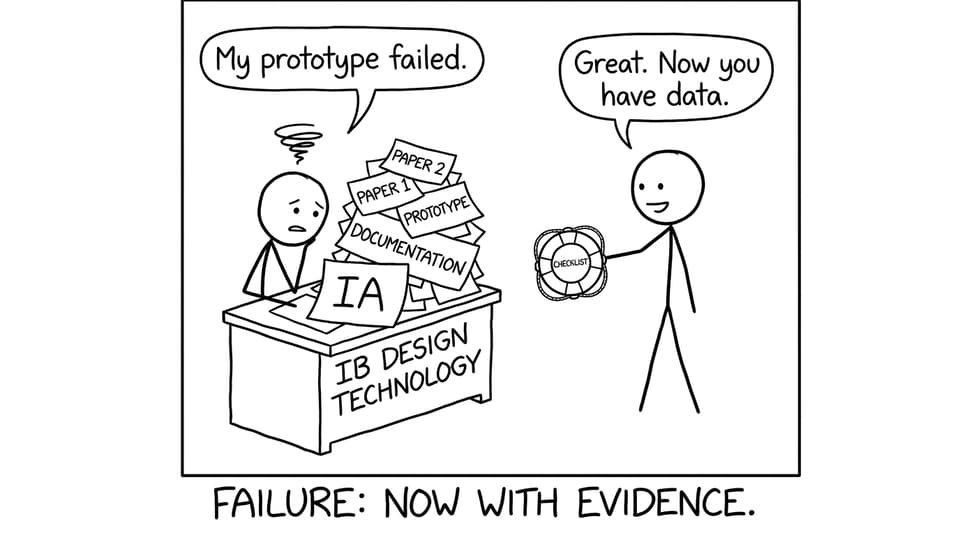
Quick survival checklist for IB Design Technology
Use this as your weekly baseline for IB Design Technology when exams and coursework collide:
-
Keep the design cycle visible (on a wall, a doc, anywhere you’ll see it).
-
Maintain IA momentum with small, scheduled “documentation sprints.”
-
Turn theory into active recall (definitions, processes, sustainability trade-offs).
-
Practice exam questions by topic, not only when you feel “ready.”
-
Track mistakes like a designer: pattern, cause, fix, retest.
-
Use one home base for everything so you stop re-finding resources.
A strong home base is the IB Design Technology Resources hub, because it connects Study Notes, Questionbank practice, Flashcards, and exam training in one flow.
The IA: make it boring, then make it strong
Most IB Design Technology stress is not about difficulty. It’s about duration. The IA asks you to stay consistent across months, which is hard when your calendar keeps changing.
A practical approach is to break the IA into evidence-producing blocks:
Set milestones that create artifacts
Instead of “work on IA,” plan outputs:
-
Research summary + citations
-
User interview notes + key insights
-
Design requirements that are testable
-
Iteration log: test, then change, then justification
-
Evaluation with data and user feedback
If you’re unsure what a top band looks like, reading a clear scoring roadmap helps. Keep this open while you work: How Can You Score a 7 in IB Design Technology?
Document like an examiner is watching your desk
In IB Design Technology, photos, sketches, prototypes, and reflections are not “extras.” They are the proof that you designed on purpose.
RevisionDojo shortens the feedback loop here in a very specific way: you can use its Grading tools to get criterion-aligned feedback on drafts, and the Coursework Library to see what strong structure looks like when you’re unsure how much detail is enough.
Organization that actually reduces stress
In IB Design Technology, organization isn’t about neatness. It’s about speed. When deadlines hit, you need to find evidence fast.
Try this simple structure:
-
One folder per design cycle stage
-
One running document called “Decision Log” (dated bullets)
-
One page called “Test Data” (tables, photos, outcomes)
If your notes are currently scattered, build them into something usable. This guide is a strong reset: How to Create Effective IB Design Technology Revision Notes
And when you need content clarity fast, lean on syllabus-aligned Study Notes like 8.3 Sustainable Design (Notes) or a focused manufacturing section such as 10.3 Computer-integrated manufacturing (CIM).
Exam prep: stop “revising,” start rehearsing
Many students treat IB Design Technology exams like a theory subject you can simply reread. But DT rewards application: identifying constraints, explaining trade-offs, justifying choices, and using correct command-term logic under time pressure.
Two high-impact habits:
Practice questions by weakness
Use targeted sets so you’re not guessing what to do next:
-
Drill broad coverage with the IB Design Technology Questionbank
-
Zoom into common skill areas like Modelling and Prototyping Questionbank (B2.2)
-
Build recall daily with Design Technology Flashcards
This is where RevisionDojo’s AI Chat earns its keep: ask it to mark your response like an examiner, rewrite your answer using markscheme-style phrasing, or explain why your “evaluate” sounded like an “explain.”
Simulate full papers for timing and stamina
In IB Design Technology, confidence often comes from one thing: finishing on time without panicking. RevisionDojo’s Mock Exams and Predicted Papers help you rehearse that pressure realistically, then fix what broke.
If you want extra clarity on how to use predicted sets well, see: IB Predicted vs Specimen Papers: What They Mean and the subject-specific set Design Technology Predicted Papers.
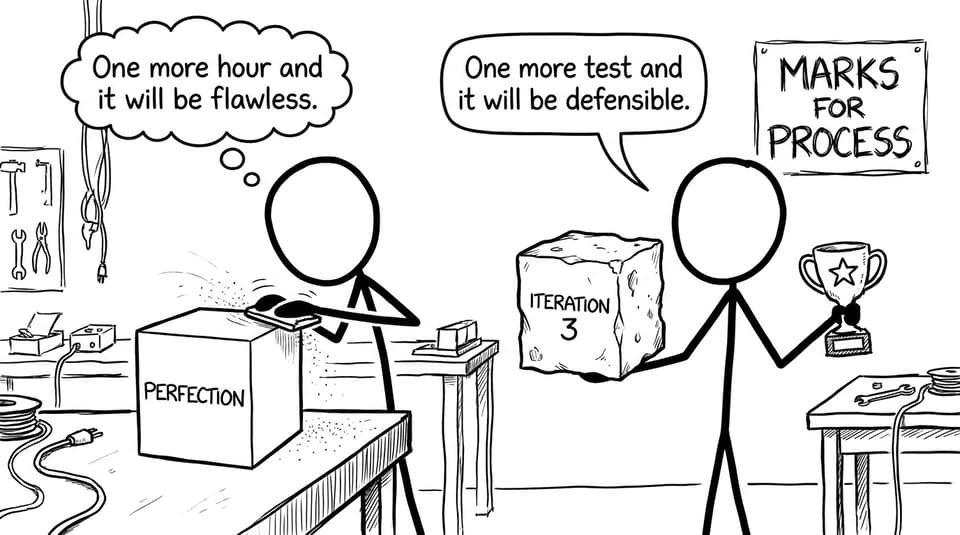
The mindset shift: process over perfection (because marks live there)
A lot of IB Design Technology students lose time chasing a perfect prototype when what the course rewards is defensible decision-making.
If you need permission to keep your project realistic, take it. A “simple” solution with strong testing, iteration, and reflection can outperform a complex build that you can’t finish or justify.
And if you’re anxious about originality, remember: design begins with existing solutions. The academic skill is what you do next. This is worth reading early: IB Design Technology: Can You Reuse Products or Ideas?
Conclusion: build the system that carries you
The “ultimate” advantage in IB Design Technology isn’t inspiration. It’s consistency. A small weekly rhythm of documentation, targeted theory recall, and exam rehearsal turns panic into progress.
If you want one place to run that rhythm, start with the IB Design Technology Resources hub and build your routine around RevisionDojo’s Questionbank, Study Notes, Flashcards, AI Chat, Grading tools, Predicted Papers, Mock Exams, Coursework Library, and Tutors. In IB Design Technology, the calm students aren’t calmer by nature. They just have a plan they can repeat.