



If you’ve ever opened your DT folder and felt that quiet panic, the sense that you’re holding a lot of information, but not yet a system; you’re not alone. IB Design Technology rewards students who can be precise, visual, and practical under time pressure. That’s exactly why your IB Design Technology revision notes can’t be a scrapbook of content. They need to be a tool you can use.
The tricky part is that IB Design Technology (first assessment 2027) is still building its shared ecosystem of resources. So the students who win are often the ones who build the cleanest personal notes early, then turn those notes into practice.

A quick checklist for IB Design Technology revision notes
Use this as your baseline before you beautify anything:
-
Write every topic in your own words (short enough to recall).
-
Keep a living glossary of definitions and command-term-friendly phrasing.
-
Make visuals the default: diagrams, flows, quick sketches.
-
Organize by assessment needs (Paper skills + HL extensions if relevant).
-
Convert notes into active tools: flashcards, drills, mini-answers.
-
Update notes right after IA milestones so learning stays connected.
If you want a ready-made structure to build from, start at the IB Design Technology resources hub and mirror its topic layout inside your own notes.
Start with definitions (because marks start with language)
In IB Design Technology, many “almost right” answers lose marks because the wording is fuzzy. Your notes should fix that problem before it reaches the exam.
Build a glossary that lives at the front of your notebook or the top of your digital doc:
-
Term (one clean sentence)
-
One example (a real product or situation)
-
One common confusion (how it’s different from a similar term)
Then test it. Every week. Definitions are ideal for RevisionDojo Flashcards because spaced repetition keeps your DT language sharp without long sessions. Use IB Flashcards with spaced repetition to keep terminology active, not buried.
For deeper topic-by-topic wording, the Design Technology (DT) IB resources page is a useful reference point while you refine your own phrasing.
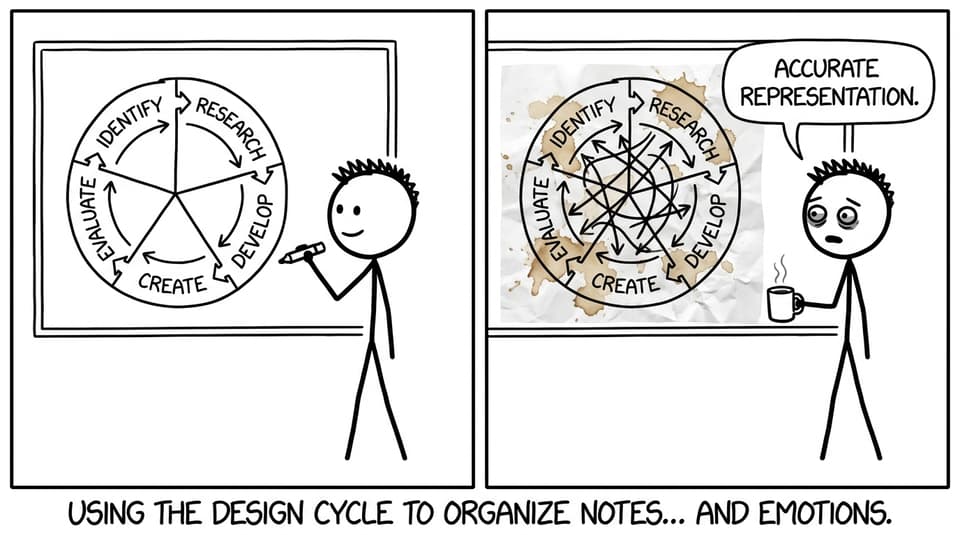
Use the design cycle to organize everything
The design cycle isn’t just coursework; it’s also the most natural filing system for IB Design Technology revision notes.
Create a repeated template for each unit:
-
Identify: what problem is being solved? what constraints matter?
-
Research: key data, user needs, standards, examples.
-
Develop ideas: alternative solutions, pros/cons, justification language.
-
Create: prototyping methods, modelling choices, manufacturing notes.
-
Evaluate: testing, improvements, trade-offs, sustainability impacts.
When your notes follow this rhythm, your exam answers tend to follow it too.
Want a concrete example of how RevisionDojo structures DT learning? Skim a single topic page like IB Design Technology: Classic Design and copy the clarity: small chunks, clear headings, quick navigation between ideas.
Make your notes visual (DT is not a paragraph sport)
A good rule: if a process can be shown in a flowchart, don’t write it as a block of text.
High-return visual formats for IB Design Technology:
-
Material selection tables (property, implication, example)
-
Quick sketches with labels (function, user interaction, failure points)
-
Prototyping decision trees (why this method, not that one)
-
Mini “system maps” for structural/mechanical/electronic interactions
Visual notes are also easier to turn into exam practice. You can cover labels, redraw diagrams from memory, and check accuracy in minutes.
Turn revision notes into an active practice loop
Students often treat notes as the finish line. In IB Design Technology, notes are the starting line.
Here’s a simple loop that works:
-
Learn a subtopic using IB Design Technology resources.
-
Compress it into half a page of notes.
-
Convert the key lines into cards using RevisionDojo’s Flashcards feature.
-
Practice application using the Questionbank.
-
Use the mistakes to update your notes (add the missing example, fix the definition, tighten the structure).
If you want more guidance on building a full routine around this loop, Best study strategies for IB Design Technology students pairs well with note-making because it emphasizes timing, visuals, and consistency.
And when exam season gets closer, use IB Predicted Papers as timed rehearsal. Treat them like a stress test for your IB Design Technology revision notes: whatever you can’t answer cleanly becomes tomorrow’s update.

Conclusion: make notes that move you toward marks
The best IB Design Technology students aren’t the ones with the prettiest folders. They’re the ones whose notes create action: clear definitions, visual understanding, and repeatable exam structure.
Build your IB Design Technology revision notes around the design cycle, keep them visual, and turn every page into flashcards and question practice. If you want everything in one place: Study Notes, Flashcards, Questionbank, AI Chat, Grading tools, Predicted Papers, Mock Exams, a Coursework Library, and Tutors when you need a human second brain, start with the IB Design Technology hub on RevisionDojo and build outward from there.