

If you have ever revised networking and thought, “This is just vocabulary,” the exam will gently prove you wrong.
In IB Computer Science, the marks live in the mechanism: what happens first, what happens next, and why that leads to damage. That is why Network Security Threats IB Computer Science Students Must Know is not a memorise-and-move-on topic. It is a cause-and-effect story where the attacker’s next step is usually predictable.
This guide gives you the exam-ready explanations behind the Network Security Threats IB Computer Science Students Must Know, plus a quick checklist you can use before you practise questions.
Quick checklist for exam answers on Network Security Threats IB Computer Science Students Must Know
When a question asks about the Network Security Threats IB Computer Science Students Must Know, aim to include:
-
The threat’s goal (confidentiality, integrity, availability)
-
How it works (the steps, not the label)
-
The impact (what breaks, what leaks, who is affected)
-
A realistic defence (and why it helps)
For targeted practice, use the syllabus-aligned A2.4 Network Security hub and then stress-test yourself with the A2.4 Network Security Questionbank.
What a “network security threat” really means
A network security threat is any event or action that can compromise:
-
Confidentiality (data is seen by the wrong person)
-
Integrity (data is changed without permission)
-
Availability (services stop working)
IB questions usually focus on deliberate attacks, but it helps to remember that human choices (weak passwords, clicking links, misconfigured settings) often open the door.
Key Network Security Threats IB Computer Science Students Must Know
Malware: the silent installer
Malware is malicious software designed to harm a system or enable unauthorised control.
In your explanation, show how it spreads and what it enables:
-
Virus: attaches to a file and spreads when the file is shared/executed
-
Worm: spreads automatically across a network by exploiting vulnerabilities
-
Trojan horse: disguises itself as legitimate software, then installs harmful payloads
Typical impacts include data theft, file corruption, system slowdown, and backdoors that allow future attacks. If you want a clean way to connect “threat” to “protection,” pair this with your understanding of security methods in Network Security Methods notes.
Phishing: attacking the person, not the protocol
Phishing is social engineering: a message persuades a user to give away credentials or sensitive information.
A high-mark IB explanation mentions that phishing works even when the underlying network is technically secure, because the user voluntarily hands over the secret. Defence is therefore partly technical (filters, warning banners) and partly education and verification habits.
Denial of Service (DoS): winning by wasting resources
A Denial of Service (DoS) attack overwhelms a service with traffic or requests so legitimate users cannot access it.
A DDoS spreads the same idea across many devices, making blocking harder.
Tie it to availability in your answer, and describe the mechanism: bandwidth saturation, CPU overload, or exhausted memory/connection tables. For a deeper exam-ready explanation, see DoS and DDoS Attacks Explained.

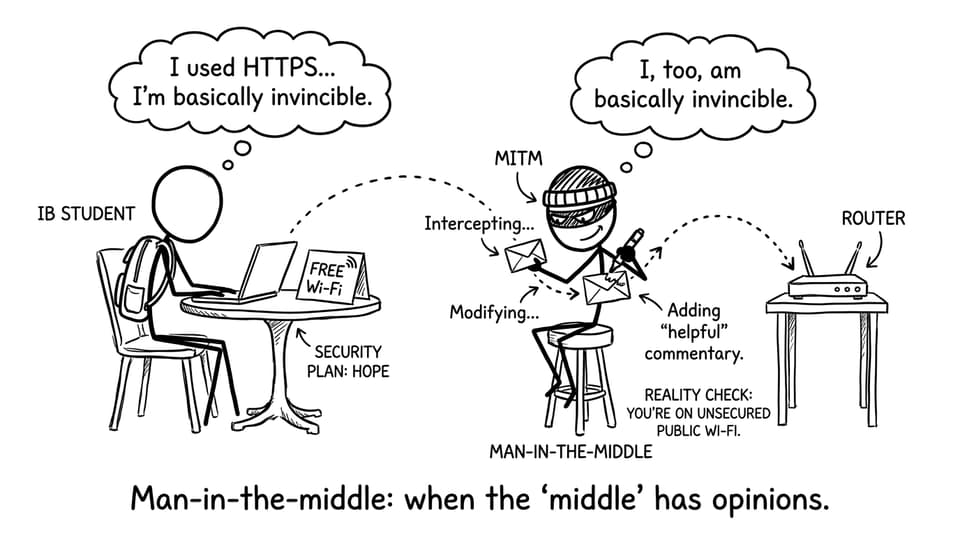
Man-in-the-middle (MITM): the invisible eavesdropper
In a man-in-the-middle attack, an attacker intercepts communication between two parties and can read or alter messages.
This can happen on unsecured Wi‑Fi or compromised network paths. Mention encryption as the key defence because it preserves confidentiality and integrity even if traffic is captured. If you need a clean IB-friendly way to describe secure tunnels, use VPNs Explained for IB Computer Science.
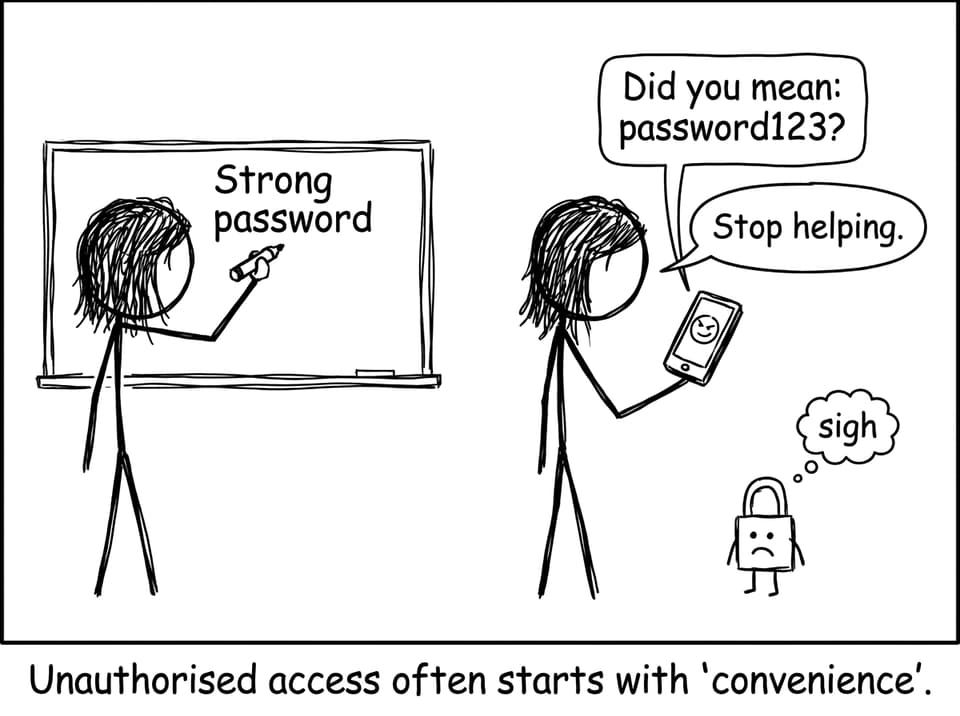
Unauthorised access: the breach that starts with “just one login”
Unauthorised access occurs when an attacker gains access without permission, often via weak passwords, stolen credentials, or poor access controls.
In exam scenarios, connect this to data breaches and then to protections like authentication, permissions, and perimeter filtering. A useful comparison to learn here is prevention vs detection in Firewalls vs IDS (Exam-Friendly).
How to practise these Network Security Threats IB Computer Science Students Must Know efficiently
The fastest way to improve is to practise explaining, not listing.
-
Build recall with spaced repetition using IB Flashcards and the broader IB Computer Science resources.
-
Then switch to exam-style prompts in the IB Computer Science Questionbank.
-
If a scenario feels vague, anchor it using networking fundamentals from TCP/IP Model Explained for IB Computer Science.
RevisionDojo also supports the rest of your workflow: Study Notes when you need clarity, Flashcards when you need speed, AI Chat when you need a second explanation, and Mock Exams, Predicted Papers, Grading tools, and Tutors when you want honest feedback.
Closing thoughts
The Network Security Threats IB Computer Science Students Must Know are not there to scare you; they are there because networks break in predictable ways. Once you can explain malware, phishing, DoS/DDoS, MITM, and unauthorised access as simple chains of events, your answers sound like understanding instead of memorisation.
If you want to turn that understanding into marks, revise the concepts with RevisionDojo Study Notes and Flashcards, then prove it to yourself with the Questionbank, Mock Exams, and targeted feedback tools. That is how Network Security Threats IB Computer Science Students Must Know becomes a scoring topic, not a stressful one.