

A quick story you already know
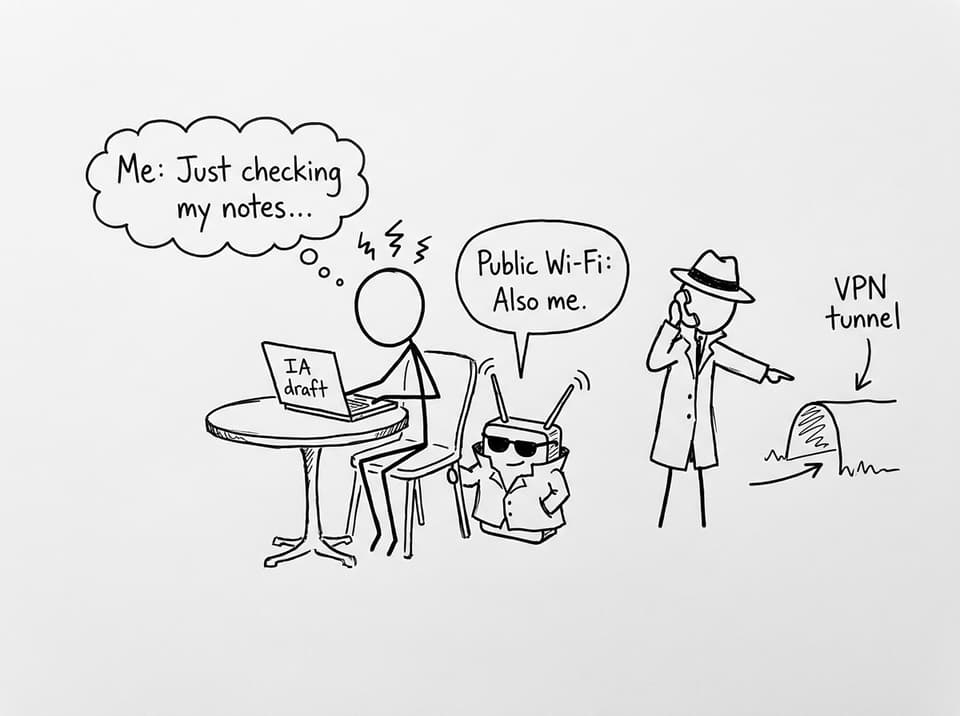
You sit down to revise IB Computer Science at a cafe. The Wi-Fi is free, your battery is low, and your notes are open. It feels harmless--until you remember the exam word that changes the whole scene: interception.
In IB Computer Science, VPNs show up because they turn a messy real-world problem into a clean exam explanation: data traveling over a public network is exposed, so we add security while it’s in transit. VPNs are the “how” behind secure remote access, privacy, and safer communication on untrusted networks.
VPNs explained (the checklist version)
For IB Computer Science, a high-mark VPN answer usually includes these points:
-
Definition: a VPN creates a secure, encrypted connection over the internet.
-
Tunnel idea: it forms a secure tunnel through an untrusted network.
-
Process: encrypt on the sender side, transmit, decrypt at the destination.
-
Purpose: confidentiality + safer remote access.
-
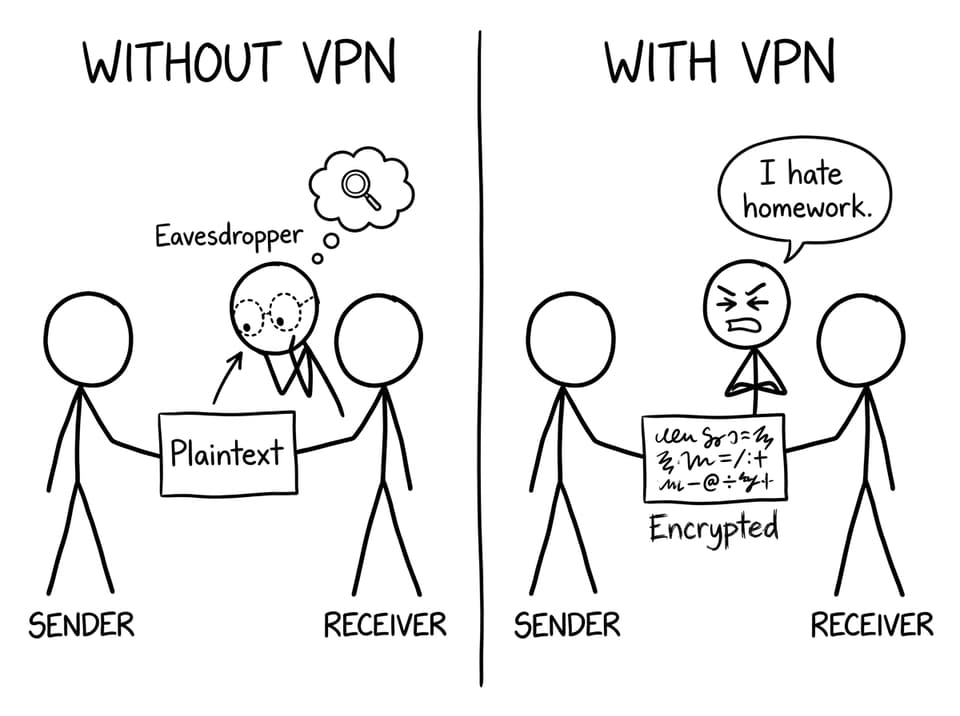
Exam nuance: VPNs don’t stop interception; they make intercepted data unreadable.
If you want the syllabus-aligned version, pair this article with 3.1.4 VPN Technologies and the matching VPN Technologies notes.
What a VPN is (in IB Computer Science language)
A Virtual Private Network (VPN) is a method for creating a private, secure connection between a device and a network using public infrastructure (usually the internet).
The key phrase examiners like is the secure tunnel. In IB Computer Science, that tunnel is a conceptual shortcut: even though the underlying network is untrusted, the VPN wraps your data so it’s protected while traveling.
When revising networks broadly, it also helps to anchor VPNs inside the wider topic: 3.1 Networks notes.
How a VPN works: encryption + tunneling
A VPN works in three simple stages:
-
Encrypt the data before it leaves your device (plaintext becomes ciphertext).
-
Transmit the encrypted traffic across the internet.
-
Decrypt the data at the VPN endpoint (server or gateway) so it’s readable again.
What matters for IB Computer Science is the cause-and-effect statement: an attacker may still capture traffic, but encryption prevents understanding (confidentiality) and can support integrity checks.
For encryption vocabulary that strengthens VPN answers, revise Encryption Explained: Symmetric vs Asymmetric.
Common uses you can justify in scenario questions
VPNs are used for:
-
Remote access to a school or company network (working from home, accessing internal resources).
-
Securing data on public Wi-Fi where interception risk is higher.
-
Connecting offices securely over the internet.
In IB Computer Science questions, you often get a scenario with remote staff, sensitive files, or an insecure network. Your job is to justify the tool: VPN provides encrypted communication over public infrastructure.
If you’re revising threats that VPNs help reduce, connect it to Network Security Threats IB Computer Science Students Must Know.
VPN vs firewall (the mistake examiners wait for)
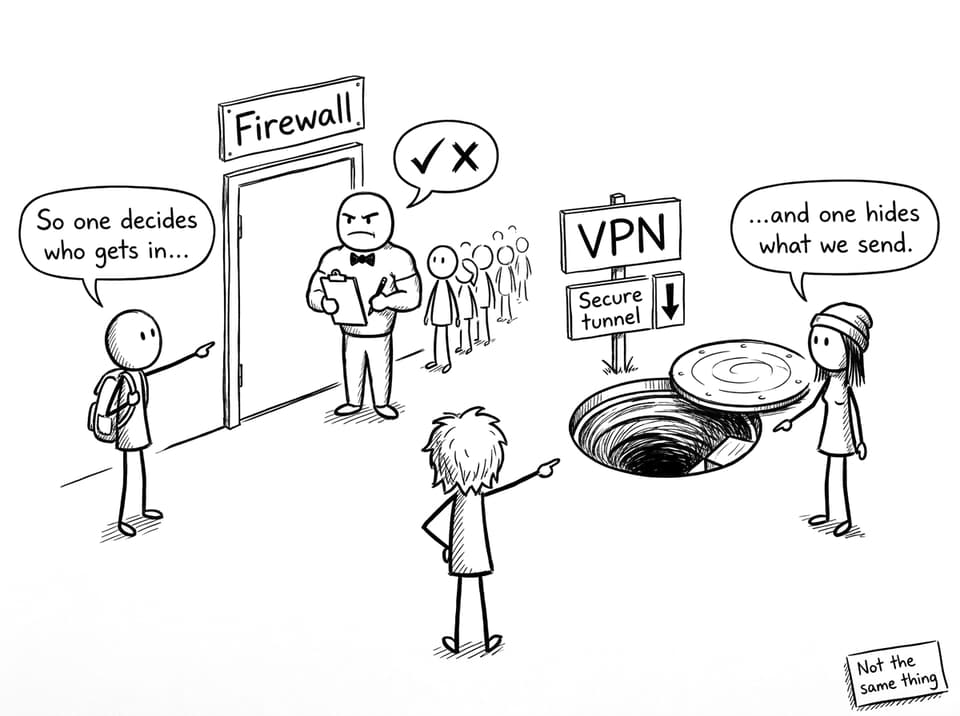
A strong IB Computer Science response separates these tools clearly:
-
VPN: protects data in transit by encrypting it and creating a tunnel.
-
Firewall: controls which traffic is allowed in or out using rules.
Many networks use both because they solve different problems. If you want a clean compare/contrast structure, see Firewalls vs IDS (Exam-Friendly) and (for deeper firewall detail) Effectiveness of Firewalls at Protecting a Network.
Limitations (write this to sound like a top student)
VPNs improve security, but they’re not magic. In IB Computer Science, mention at least two limits:
-
Speed/latency: encryption and routing can slow traffic.
-
Trust and configuration: you rely on the VPN endpoint/provider and correct setup.
-
Not total protection: VPNs don’t stop malware, weak passwords, or phishing.
That last point is often where marks live: VPNs are part of a layered security strategy, not the whole plan.
Final takeaway (and how to revise it fast)
A VPN in IB Computer Science is best explained as an encrypted tunnel over the internet that enables secure remote access and protects data confidentiality while in transit. Remember the exam-friendly line: interception can still happen, but decryption without the key should fail.
To lock this in quickly, use RevisionDojo as your revision loop: read the VPN Technologies notes, drill definitions with the VPN Technologies flashcards, then apply the idea using the IB Computer Science Questionbank. That’s how IB Computer Science concepts stop being “terms” and start becoming marks.