

You can write a perfect algorithm, press run, and still have no real feel for what’s happening inside the machine.
That’s the gap that shows up in IB Computer Science exams: students describe “the CPU processes data” like it’s a single event, not a constant stream of tiny movements. In reality, every instruction is a small journey. Data leaves memory, squeezes through buses, lands in registers, and gets pushed back out again. If you can narrate that journey clearly, Paper 1 system questions become much more predictable.
Quick exam checklist for IB Computer Science
Before you revise details, make sure you can say these five lines cleanly (they cover most marking points in IB Computer Science explanations):
-
RAM stores instructions and data currently in use (temporary).
-
Registers store tiny, ultra-fast working values inside the CPU.
-
The address bus carries addresses (CPU to memory, one-way).
-
The data bus carries data/instructions (typically two-way).
-
The control bus carries signals like read/write and clock timing.
For more Topic 2 practice, use the Computer Organization Questionbank and check your phrasing against markscheme-style solutions.
Memory (RAM): the workbench, not the brain
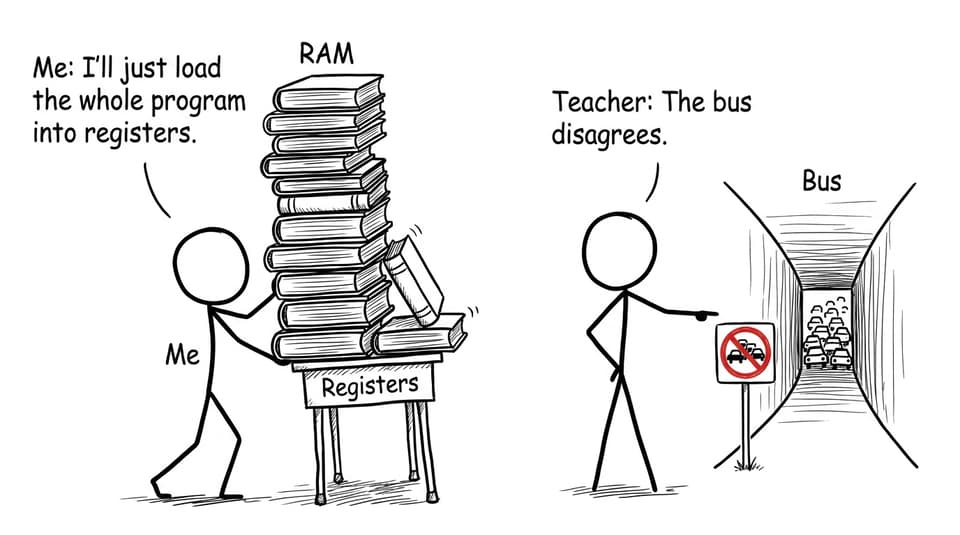
In IB Computer Science, main memory (RAM) is where programs and the data they need sit while they’re running. RAM is fast compared with secondary storage, but it’s still slower than what’s inside the CPU.
That speed gap is the whole reason this topic exists. If the CPU had to “think” directly from RAM for every tiny step, execution would stall constantly. So the CPU pulls what it needs from RAM into registers, works quickly, then sends results back.
If you want a syllabus-aligned summary of RAM, cache, and key register definitions, the Computer Organization Study Notes are a solid quick-reference.
Registers: tiny, fast, and exam-friendly
Registers are the CPU’s immediate workspace: small storage locations inside the processor. In IB Computer Science, you’re expected to name common registers and describe what each holds.
Key ones to know:
-
PC (Program Counter): address of the next instruction.
-
IR (Instruction Register): the current instruction being decoded/executed.
-
MAR (Memory Address Register): the memory address being accessed.
-
MDR (Memory Data Register): the data/instruction being transferred to/from memory.
The most common confusion is MAR vs MDR. A reliable rule: MAR is “where,” MDR is “what.”
For a deeper CPU architecture walkthrough aligned to exam language, see CPU and Machine Instruction Cycle Notes and the related 2.1.1 Topic Hub.
Buses: the three “highways” you must not mix up
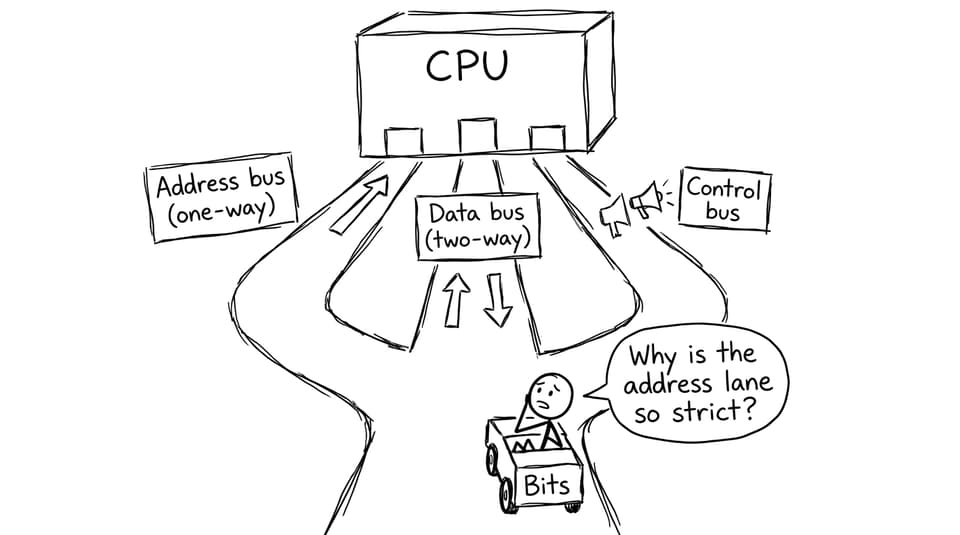
Buses are communication pathways. In IB Computer Science, marks are often awarded just for correctly matching the bus to what it carries.
Address bus (one-way)
Carries memory addresses from CPU to memory. One-directional because the CPU is the one requesting locations.
Data bus (two-way)
Carries data and instructions between CPU and memory. Bi-directional because the CPU both reads and writes.
Control bus
Carries control signals that coordinate everything: read, write, clock pulses, and other status/control lines.
How data moves in the fetch stage (the story examiners want)
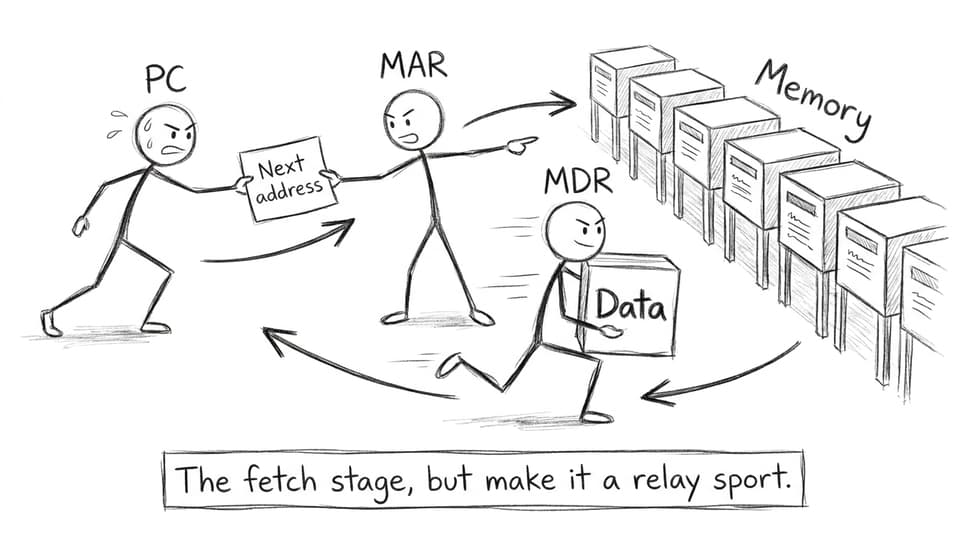
When a program runs, this loop repeats constantly. Here’s a clean narration that fits IB Computer Science mark schemes:
-
The PC holds the address of the next instruction.
-
That address is copied into the MAR.
-
The address travels on the address bus to RAM.
-
The control unit sends a read signal on the control bus.
-
The instruction returns on the data bus into the MDR.
-
The instruction is placed into the IR for decoding.
If you want this sequence in a full step-by-step explanation, review The Fetch-Decode-Execute Cycle Explained Simply and the syllabus page for A1.1.5 Fetch, Decode, and Execute Cycle.
Common IB Computer Science mistakes (and how to fix them)
-
Calling registers “memory” without specifying: say “registers inside the CPU” vs “RAM in main memory.”
-
Mixing buses up: practice one sentence per bus until it’s automatic.
-
Vague movement language: replace “data moves around” with “address on address bus, data on data bus, read/write on control bus.”
-
Forgetting key register names: use IB Computer Science Key Definitions for quick, precise wording.
Conclusion: make the data journey your default explanation
In IB Computer Science, registers, buses, and memory are not separate facts to memorize. They’re one moving system: RAM holds what you’re using, registers hold what you’re using right now, and buses are the routes that make the movement possible.
If you want to turn this into marks, practice explaining one instruction’s journey, then prove it under exam conditions using RevisionDojo’s Computer Science hub, Questionbank, Flashcards, Study Notes, AI Chat, grading tools, Predicted Papers, Mock Exams, and Tutors. When your explanation feels like a story with correct labels, IB Computer Science questions stop feeling like surprises.