
You only notice an operating system when something goes wrong.
The laptop freezes. A file “disappears.” Your program runs yesterday and crashes today. In those moments, the operating system stops being invisible and starts feeling like the only adult in the room.
For IB Computer Science, that invisibility is the trap. In exams, “it controls the computer” sounds true, but it doesn’t earn marks. Examiners want functions: what the OS manages, how it shares resources, and why applications can’t just do it themselves.
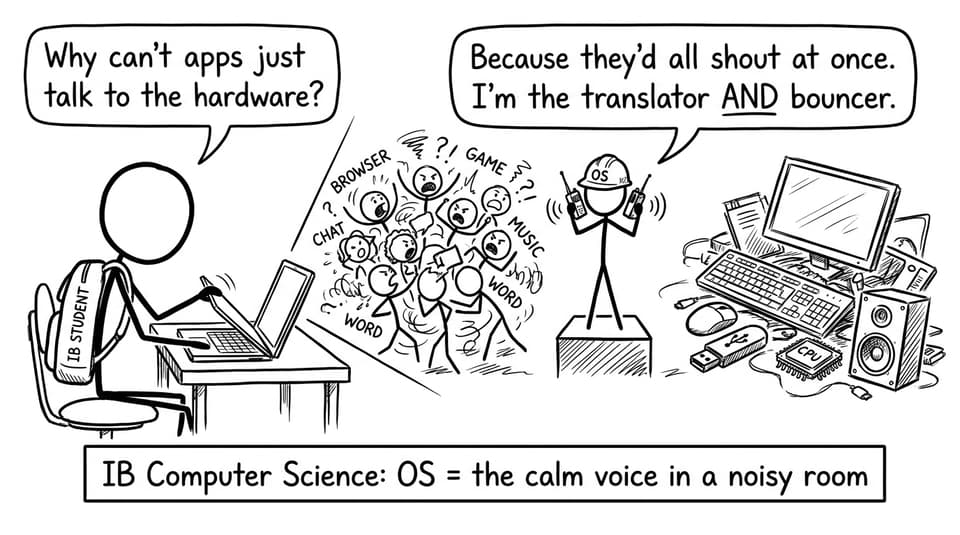
Operating system definition (exam-ready)
An operating system (OS) is system software that:
-
Manages hardware resources (CPU, memory, storage, I/O)
-
Provides services/platform for application software
-
Acts as an interface between the user, applications, and hardware
If you want a syllabus-aligned phrasing, RevisionDojo’s notes on the Role of Operating Systems are built to match how IB Computer Science questions are marked.
Quick checklist: the 5 OS jobs to remember
When you see “operating system” in IB Computer Science, think:
-
Process management (multitasking and scheduling)
-
Memory management (allocation, protection, virtual memory)
-
Device management (drivers, interrupts)
-
File management (directories, permissions)
-
User interface (GUI/CLI + system calls)
For targeted practice, the A1.3 Operating systems and control systems hub keeps everything in one place.
Process management: how multitasking actually works
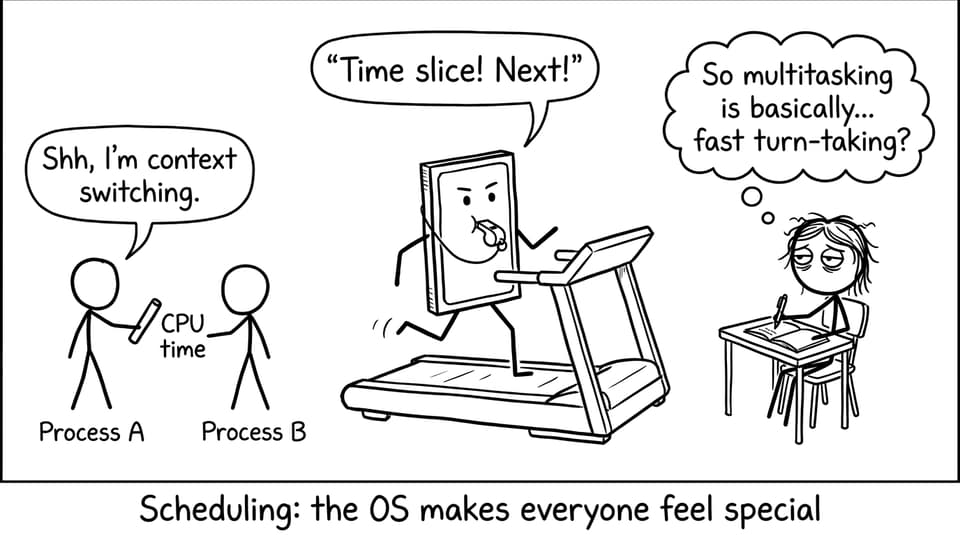
Your computer looks like it runs ten apps at once. But in many cases, the CPU is doing extremely fast turn-taking.
Process management includes loading programs, running processes, switching between them, and stopping one process from damaging another. The OS decides which process gets CPU time using scheduling (for example, time slicing and priorities). This is where vague answers lose marks: you must mention allocation of CPU time and coordination of multiple processes.
If you want exam-style prompts on this, use the A1.3 Questionbank on RevisionDojo and explain your answer in full sentences (command-term style), not bullet fragments.
Memory management: keeping programs safe and smooth
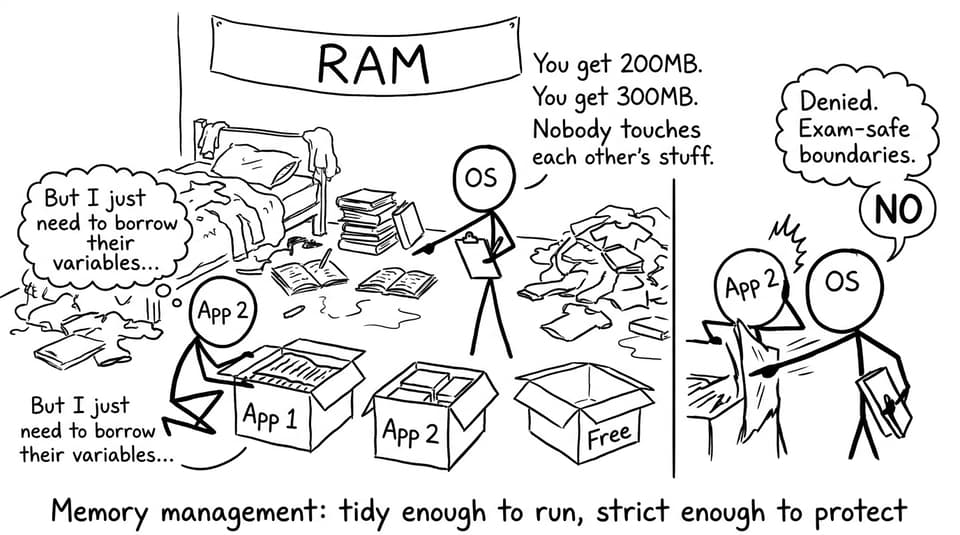
Memory management is the OS deciding where data and instructions live while programs run.
Core ideas for IB Computer Science:
-
The OS allocates memory to processes and tracks what is used
-
It protects memory so one process can’t access another’s space
-
It frees memory when a process ends
-
It may use virtual memory to extend apparent RAM using secondary storage
This is also a security story. A stable system isn’t just “fast”; it’s one where processes are isolated and can fail without taking everything down.
Device and file management: the OS as the middle layer
Applications do not talk directly to a printer, keyboard, or disk controller. The OS sits in the middle, using device drivers and handling interrupts so hardware events are processed at the right time.
File management is similar: the OS creates/deletes files, manages folders/directories, controls access permissions, and ensures data is stored and retrieved correctly. In IB Computer Science, this often links to secondary storage and data security.
For a clean, mark-friendly list of these functions, see RevisionDojo’s Functions of an Operating System Notes.
Common exam mistakes (and the fix)
Students often lose marks by:
-
Describing the OS too generally
-
Mixing up the OS with applications
-
Forgetting specific functions like scheduling or memory protection
Fix: answer like a systems engineer. Name the resource (CPU, memory, devices, files), then state the OS function (allocate, schedule, protect, manage, provide interface).
To train that habit, use RevisionDojo’s flashcards for A1.3 and then prove recall using timed questions.
Closing: the OS is the quiet manager behind every mark
An operating system isn’t a mysterious “controller.” It’s a resource manager: scheduling processes, allocating memory, coordinating devices, managing files, and giving users a usable interface. That is exactly how IB Computer Science expects you to explain it.
If you want this topic to feel automatic under exam pressure, revise it the RevisionDojo way: Study Notes for clarity, Flashcards for definitions, Questionbank for marks, and AI Chat to polish explanations. Then build confidence with Predicted Papers and Mock Exams so operating systems stop being invisible, and start being easy marks.