

In IB Computer Science, network security can feel like a story with a twist: you set rules, you watch traffic, you feel safe… and then the attack shows up disguised as “normal.” That’s the moment an Intrusion Prevention System (IPS) matters. Not because it sees threats (lots of tools do) but because it acts when time is the whole game.
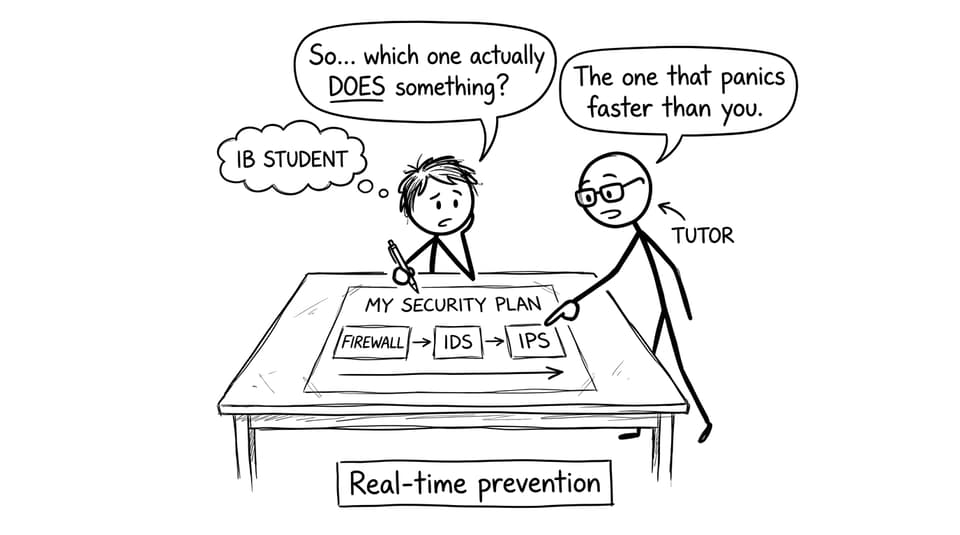
Examiners love this topic because it’s easy to half-answer. Many students describe IPS like an alarm system. But in IB Computer Science, an IPS is closer to a guard who doesn’t just shout -- it locks the door.
Quick IPS checklist for IB Computer Science answers
Keep this mini-checklist in your head when you see IPS in a question:
-
Define IPS: monitors + detects + automatically blocks threats.
-
Explain the sequence: observe --> match patterns/anomalies --> decide --> prevent.
-
Compare clearly: IPS vs IDS (prevention vs alerting).
-
Add depth: mention false positives, performance overhead, and updates.
-
Link to bigger idea: layered security / defence in depth.
If you want syllabus-aligned practice, pair this with RevisionDojo’s network security materials and questions in the A2.4 Network security topic hub.
What is an Intrusion Prevention System (IPS)?
An Intrusion Prevention System (IPS) is a security tool that:
-
monitors network or system activity,
-
detects suspicious or malicious behaviour,
-
and automatically blocks, rejects, or terminates the harmful activity in real time.
That last bullet is the scoring difference in IB Computer Science. An IPS doesn’t just produce an alert. It takes action without waiting for a human.
To ground this in your revision, keep RevisionDojo’s core CS hub bookmarked: IB Computer Science resources.
How an IPS works (conceptual steps you can write in exams)
IB questions don’t require implementation details, but they do reward a clean logical flow. A strong IB Computer Science explanation usually looks like this:
-
Monitor traffic or events (packets, requests, logins).
-
Analyse using signatures (known attack patterns) and/or anomaly detection (unusual behaviour).
-
Detect a likely threat (e.g., repeated suspicious requests).
-
Prevent by blocking traffic, resetting connections, quarantining activity, or applying rules dynamically.
This is also why it helps to know related network ideas like traffic flow and packets; RevisionDojo’s Packet Switching notes can make those descriptions more precise.
IPS vs IDS (the comparison IB Computer Science examiners want)
Students often blur these two because both “find attacks.” Here’s the clean comparison:
-
IDS (Intrusion Detection System): detects suspicious activity and alerts someone.
-
IPS (Intrusion Prevention System): detects suspicious activity and automatically blocks it.
So in one line:
-
IDS = detection
-
IPS = detection and prevention
If you want a direct side-by-side refresher, use Firewalls vs Intrusion Detection Systems (IDS) and then come back to IPS to complete the triangle.
IPS vs firewalls (same verb, different logic)
Firewalls and IPS both “block,” but they block for different reasons.
-
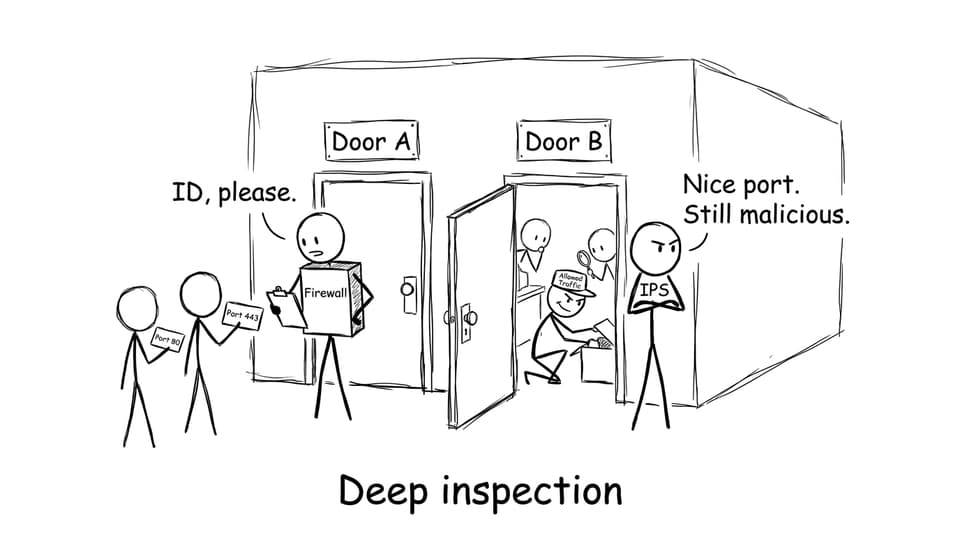
Firewalls apply predefined access rules (IP, port, protocol). They’re great at deciding what’s allowed in.
-
IPS inspects behaviour and patterns inside traffic, including traffic that was technically allowed by firewall rules.
That distinction matters in IB Computer Science scenarios: an attack can arrive through an allowed service (like web traffic) and still be malicious.
For firewall depth, RevisionDojo’s Effectiveness of Firewalls notes is a strong companion.
Why IPS matters (and the trade-offs you should mention)
The reason IPS exists is simple: speed beats cleanup. In IB Computer Science, you can phrase this as reducing damage by preventing a successful compromise.
Benefits you can justify in exam answers:
-
stops attacks quickly (less time for malware to spread),
-
reduces downtime,
-
limits data loss and disruption.
But high-mark answers also mention limitations:
-
False positives can block legitimate users.
-
Performance overhead can slow networks if inspection is heavy.
-
Updates are essential because attackers evolve and signatures age.

How to revise IPS efficiently with RevisionDojo
Treat IPS like a small concept that shows up in bigger questions. A fast IB Computer Science workflow:
-
Learn the definition using 3.1.11 Network Security Methods.
-
Drill wording with the matching Network Security Methods flashcards.
-
Convert knowledge into marks with the A2.4 Network security Questionbank.
If you’re doing timed prep, RevisionDojo’s Mock Exams, Predicted Papers, and Grading tools help you practice under pressure and see exactly where your explanations lose marks.
Closing: the exam-ready way to remember IPS
An Intrusion Prevention System (IPS) monitors activity, detects threats, and automatically blocks attacks in real time -- the key phrase that keeps you accurate in IB Computer Science. Think of it as part of layered security: firewalls control access, IDS spots trouble, and IPS stops trouble before it grows.
When you’re ready to turn that understanding into marks, RevisionDojo is built for it: focused Study Notes, targeted Flashcards, exam-style Questionbank practice with AI Chat feedback, plus Predicted Papers and Mock Exams to sharpen timing and technique. Keep IPS simple, precise, and preventative -- and you’ll write the kind of answer examiners can reward quickly.