

You know the moment: you click a link, the page loads, and your brain does a quiet scan for the padlock.
In IB Computer Science, that tiny icon is a big idea. It represents HTTPS, the protocol that makes web communication secure enough for logins, banking, and basically everything you do during revision procrastination. And in exams, it’s rarely about naming every technical detail. It’s about explaining why HTTPS exists and how it protects data in transit.
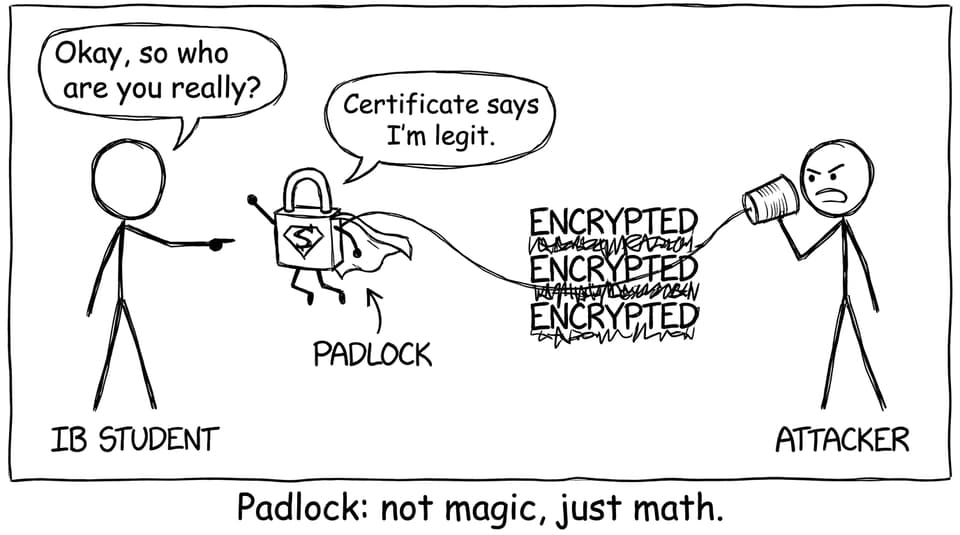
HTTPS in IB Computer Science, in one checklist
If you can hit these points clearly, you’ll usually score well:
-
HTTPS = HTTP + security (via TLS)
-
Confidentiality: outsiders can’t read the data
-
Integrity: changes are detected
-
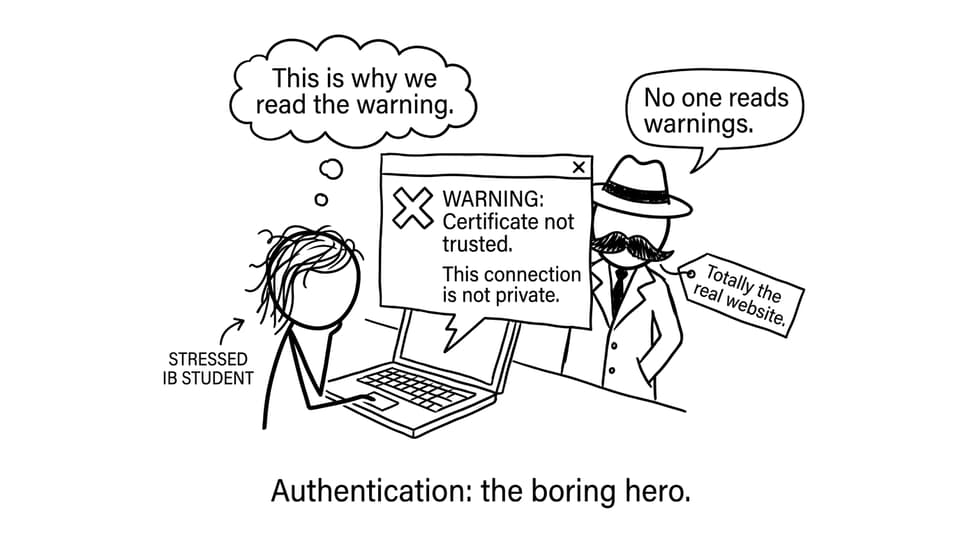
Authentication: you’re connected to the real site
-
Certificates + trusted authorities underpin the trust
-
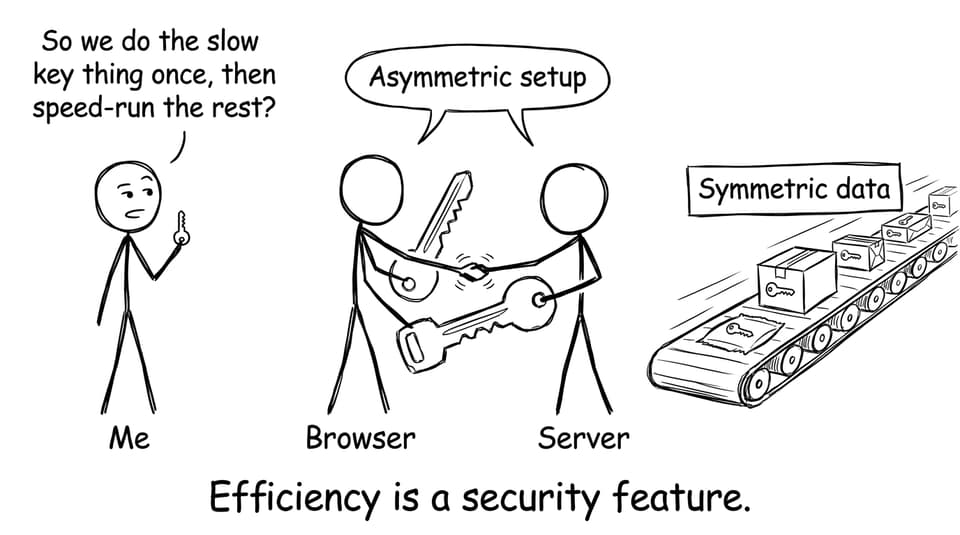
Asymmetric crypto sets up trust, symmetric crypto does the fast data transfer
For more exam-style practice that matches how IB Computer Science marks explanations, use the RevisionDojo Questionbank.
What HTTPS is (and what it is not)
HTTPS (HyperText Transfer Protocol Secure) is the secure version of HTTP used when a browser communicates with a web server.
In IB Computer Science, you can describe HTTPS as a method that:
-
encrypts data sent between client and server
-
checks that the website is authentic
-
detects if data is altered during transmission
What HTTPS is not: it doesn’t make you anonymous, and it doesn’t magically make a website “safe.” It mainly secures the connection.
To anchor this to the syllabus theme of networks and communication, explore RevisionDojo’s IB Computer Science hub: IB Computer Science Resources.
Why plain HTTP is insecure
HTTP sends data as plaintext. That’s fine for public content, but risky for anything sensitive.
In an HTTP connection:
-
an attacker on the network can intercept data (eavesdropping)
-
an attacker can modify messages (tampering)
-
the browser has no reliable proof the server is who it claims to be
So in IB Computer Science, the “problem” HTTPS solves is simple: without protection, data can be read, changed, or redirected.
How HTTPS works (conceptual steps you can write in exams)
Examiners reward a clean sequence. A high-scoring IB Computer Science explanation often looks like this:
The handshake and setup
-
Browser connects to the website.
-
Website sends a digital certificate.
-
Browser verifies the certificate (trust chain).
-
Browser and server agree on encryption settings and establish session keys.
Secure communication
- Data is transmitted using encryption and integrity checks.
Keep it conceptual. If you can name “certificate,” “encryption,” “authentication,” and “integrity,” you’re speaking the IB’s language.
If networks are a weak area, pair reading with retrieval using topic practice like IB Computer Science 3.1 Networks Questionbank.
Digital certificates: the ID card of the web
A digital certificate links a domain name (like a website address) to a public key. It is issued by a trusted Certificate Authority (CA).
In IB Computer Science, the key idea is authentication: certificates help prevent impersonation. If the browser can’t verify a certificate, it warns the user because the site may be fake.
To keep key definitions sharp, use spaced repetition with IB Flashcards with Spaced Repetition (SRS) and the topic-specific deck C. Web science Flashcards.
Encryption: why two types show up in the same story
HTTPS typically uses both:
-
Asymmetric encryption (public/private key) to establish trust and share secrets safely
-
Symmetric encryption (one shared key) for fast, efficient data transfer
That “two-step” design matters in IB Computer Science because it connects security to performance: asymmetric methods are powerful but slow; symmetric methods are fast for large amounts of data.
Integrity: how HTTPS detects tampering
HTTPS also protects integrity, meaning data should arrive unchanged.
Conceptually, integrity checks ensure:
-
if someone modifies the data during transmission, the change is detected
-
the browser/server can reject altered messages
In IB Computer Science answers, don’t only say “it encrypts passwords.” Mention integrity alongside confidentiality.
Common IB Computer Science mistakes to avoid
-
Saying HTTPS provides anonymity (it doesn’t)
-
Forgetting authentication (certificates matter)
-
Only talking about passwords instead of all transmitted data
-
Being vague: “It’s secure” without explaining confidentiality/integrity/authentication
If you’re aiming to turn explanations into marks quickly, mix reading with timed practice using IB Computer Science Predicted Papers.
Closing: the padlock is a story you can explain
HTTPS is the web’s way of making trust practical: encrypt the conversation, prove who you’re talking to, and detect tampering along the way. In IB Computer Science, that’s the explanation that earns marks because it connects the icon to the purpose.
When you’re ready to turn understanding into exam performance, RevisionDojo is built for the full loop: Study Notes, Flashcards, AI Chat, Questionbank, Grading tools, Predicted Papers, Mock Exams, a Coursework Library, and Tutors--all designed to help IB Computer Science students explain clearly under pressure.
Useful next steps: review the Study Notes feature, then test yourself using IB Computer Science 1. System Fundamentals Questionbank.