

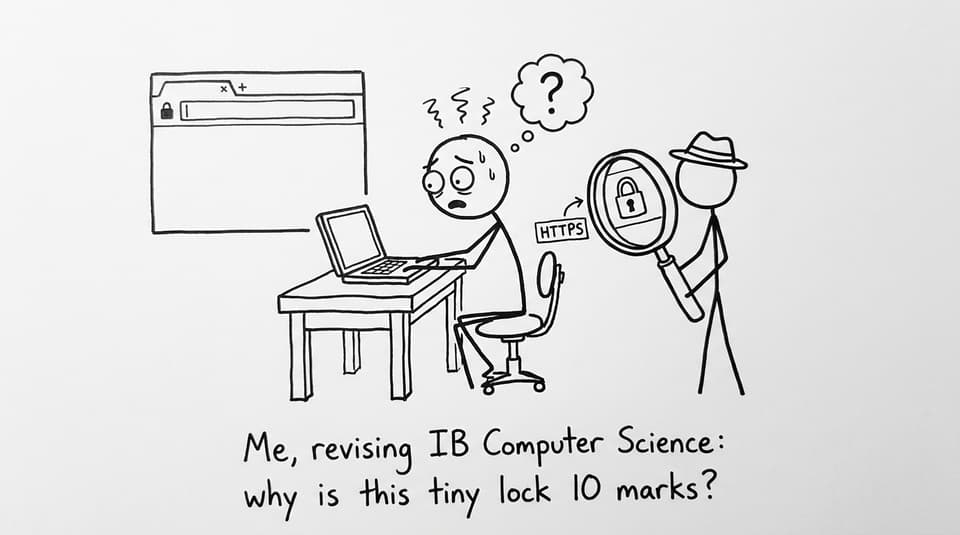
When you open a website the night before an exam, the browser’s little lock icon can feel strangely personal. It’s tiny, quiet, and easy to ignore. But in IB Computer Science, that lock is basically a summary of modern web security in one pixel: whether the data moving between you and a server is protected or exposed.
The tricky part is that exam questions on HTTP vs HTTPS don’t reward vibes. They reward mechanisms. If you write “HTTPS is encrypted” and stop there, you often leave marks on the table. This guide will help you explain HTTP vs HTTPS with the kind of cause-and-effect clarity that scores in IB Computer Science.
Quick exam checklist for IB Computer Science
Before you write a single sentence in an answer, check you can state these points clearly:
-
HTTP transfers web data but sends it in plain text.
-
HTTPS is HTTP with security added using TLS (often referred to as SSL/TLS).
-
HTTPS provides confidentiality, authentication, and integrity.
-
You can compare them directly and link differences to risks and outcomes.
If you want the syllabus-aligned wording, keep the RevisionDojo notes open while you revise: Network Protocols (Transport and Application) and Protocols and Standards on the Web (C.1.9).
What HTTP means (and why it’s risky)
HTTP (HyperText Transfer Protocol) is the web’s basic conversation rulebook: a browser requests a resource, a server responds. In IB Computer Science, you can also mention that HTTP sits at the application layer and typically uses TCP underneath for reliable delivery.
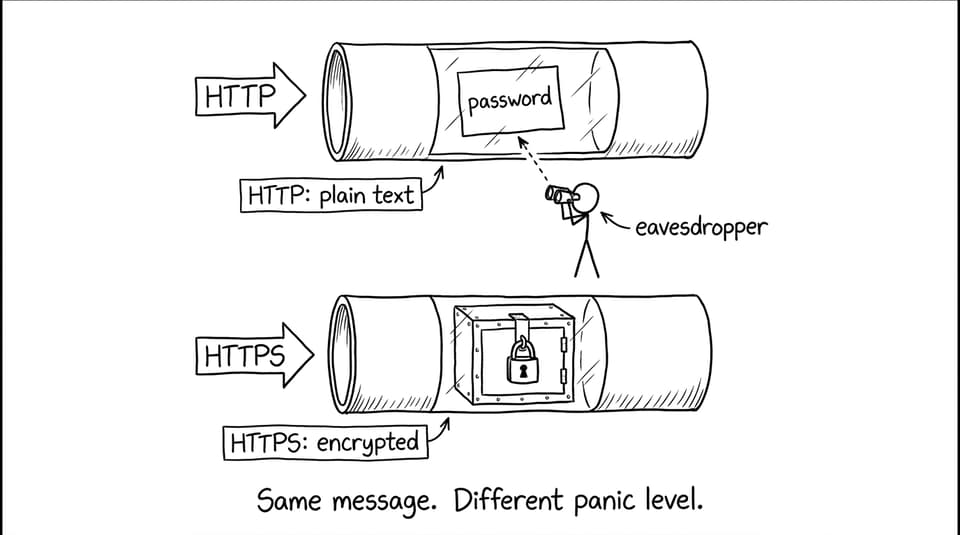
The key weakness is simple: HTTP transmits data in plain text. That means if someone intercepts the traffic on the network path (for example, on a compromised Wi‑Fi network), they may be able to:
-
Read what was sent (confidentiality failure)
-
Change what was sent (integrity failure)
-
Impersonate a destination (authentication failure)
That’s why HTTP alone is unsuitable for logins, forms, and any personal data. If you’re revising the bigger network context, connect this to layers with TCP/IP Model Explained for IB Computer Science.
What HTTPS adds in IB Computer Science terms
HTTPS (HyperText Transfer Protocol Secure) is not “a totally different protocol.” It’s HTTP running over a secure cryptographic channel, usually TLS (Transport Layer Security).
In a strong IB Computer Science explanation, HTTPS should be described through the outcomes it guarantees:
-
Confidentiality: data is encrypted so eavesdroppers can’t understand it.
-
Authentication: the browser checks the server’s identity using a digital certificate.
-
Integrity: mechanisms (like message authentication) help detect tampering.
For a deeper, exam-friendly walkthrough of the sequence, use HTTPS Explained: How Secure Websites Work.
Encryption: the “so what” that earns marks
Encryption matters because it changes the attacker’s options. With HTTP, interception can reveal real content instantly. With HTTPS, interception yields ciphertext that is useless without keys.
In IB Computer Science, you’re not expected to recite algorithms. But you are expected to explain the effect: encrypted data protects confidentiality during transmission.
Authentication: why the lock icon isn’t just about secrecy
A common missing piece in student answers is authentication. HTTPS uses certificates to help confirm you’re connected to the genuine site, not a convincing fake.
That’s also why browsers show warnings when certificates can’t be verified. You can reinforce definitions quickly using the IB Computer Science Key Definitions.

HTTP vs HTTPS: the comparison paragraph examiners like
When you compare, do it directly:
-
HTTP: plain text transmission, no built-in encryption, vulnerable to interception and modification.
-
HTTPS: encrypted channel via TLS, uses certificates for authentication, protects confidentiality and integrity.
That style of contrast is exactly what many IB Computer Science command terms want. For broader exam technique, see How to Avoid Common Mistakes on IB Computer Science Exams.
Does HTTPS slow things down?
Students sometimes claim HTTPS is “too slow.” A better IB Computer Science answer recognizes the trade-off: encryption adds overhead, but modern implementations are efficient, and the security benefits dominate for almost all real-world use cases.
Closing: make the lock icon an easy mark
In IB Computer Science, HTTP vs HTTPS is a small topic that often decides big marks because it tests whether you can explain how security works, not just state that it exists. Remember the story your answer should tell: HTTP sends readable data; HTTPS wraps the same web conversation in TLS so your data stays confidential, authentic, and intact.
When you’re ready to turn that understanding into exam performance, RevisionDojo is the simplest way to keep everything connected: Study Notes for clarity, Flashcards for recall, AI Chat for quick explanations, Questionbank for exam practice, plus Mock Exams, Predicted Papers, Grading tools, a Coursework Library, and Tutors when you want feedback that actually moves your grade in IB Computer Science.