
A backup only matters the day something breaks
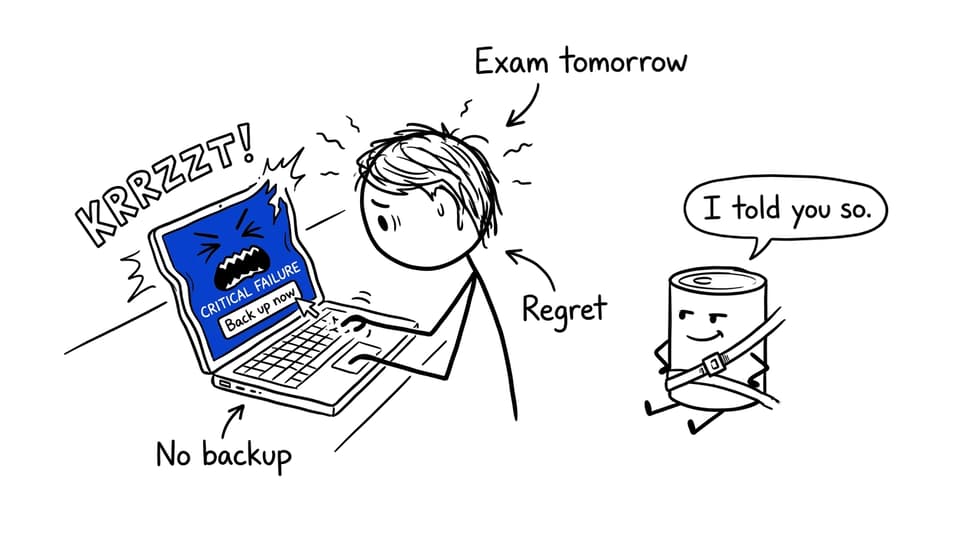
The night before an exam, your laptop fans spin up like a jet engine. You save your IA files, close the lid, and tell yourself you’ll be fine. Then the screen freezes. It’s not dramatic in the movies way--it’s dramatic in the quiet, awful way.
That feeling is exactly why IB Computer Science teaches backups and recovery for databases. Examiners aren’t testing whether you can name a tool. They’re testing whether you can explain reliability: what happens when hardware fails, software crashes, or someone deletes the wrong table.
Quick checklist (what to say in an exam)
For a high-scoring IB Computer Science answer, aim to include:
-
A clear reason backups exist (prevent permanent data loss).
-
A definition of backup (a separate copy of data).
-
At least one backup strategy (full vs incremental).
-
What recovery means (restoring a consistent earlier state).
-
A trade-off (storage/time vs complexity).
-
A link to ACID Durability (committed data should survive failure).
If you want tight syllabus wording, pair this with A.3.3 Methods of Data Recovery notes.
Why database backups are essential
Databases hold things that organisations can’t casually “recreate”: student records, user accounts, transaction histories, inventory logs. Without backups, failures can become permanent.
In IB Computer Science, the key idea is simple: backups are a safety net for data protection and system reliability. They don’t stop an attack or prevent human error--they make it possible to recover after something has already gone wrong.
To connect this to the broader database unit, revise core database ideas in IB Computer Science databases notes.
What is a database backup (and what it is not)
A database backup is a copy of database data stored separately from the original system. The word “separately” is the point: a backup sitting on the same failing disk isn’t much of a backup.
A backup can be used to restore data after corruption, undo major mistakes, and rebuild a database after a crash. But in IB Computer Science, it’s important not to describe backups as “security.” Security controls access; backups support recovery.
For exam-style practice on database management scenarios, use the A.3 Further aspects of database management Questionbank.
Types of database backups (the trade-off examiners want)
Full backups
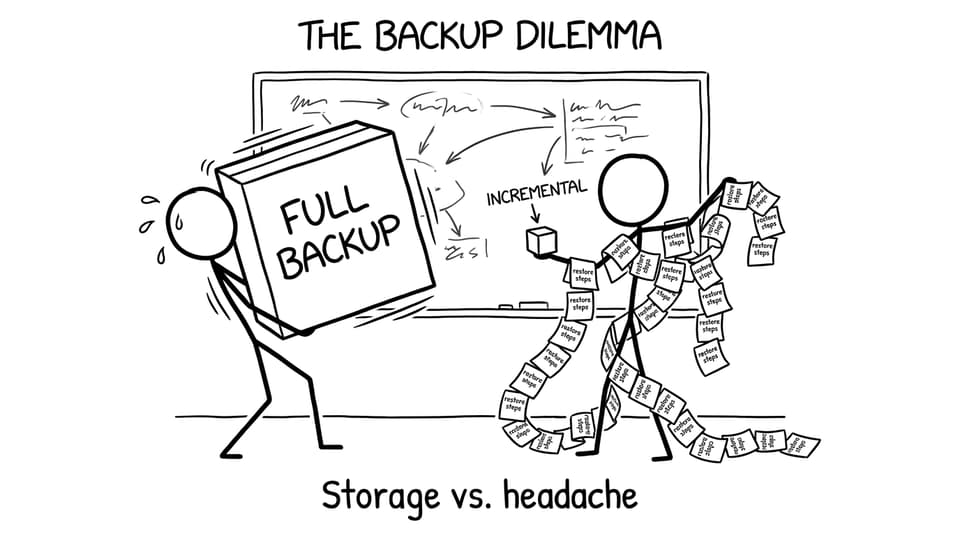
A full backup copies the entire database.
-
Easier and faster to restore
-
Requires more storage
-
Often takes longer to create
Incremental backups
An incremental backup saves only what changed since the last backup.
-
Uses less storage
-
Faster to run regularly
-
Restoration can be slower/more complex (you may need a full backup plus a chain of increments)
In IB Computer Science, the marks often live in the trade-off sentence: full backups simplify recovery; incremental backups reduce storage and time but complicate restoration.
Recovery: getting back to a consistent state
Recovery is the process of restoring a database to a previous valid state using backups (and sometimes logs/replication in real systems). You might need recovery after hardware failure, software bugs, corruption, or accidental deletion.
A strong IB Computer Science explanation includes the word consistent: recovery is not just “copying files back,” it’s ensuring the restored database is usable and logically correct.
To strengthen your DBMS vocabulary, see A.2.1 DBMS and RDBMS notes.
Backups and ACID durability (the perfect link)
ACID includes Durability, meaning once a transaction is committed, it should persist even if the system crashes.
Backups support durability by providing a way to restore committed data after catastrophic failure. In essays and long responses, linking backups to durability shows conceptual understanding (not memorisation). Review this connection in Transactions explained: ACID and the syllabus wording in A.1.4 Transactions and data consistency notes.
Where backups should be stored (and the classic mistake)
Backups should be stored off-site or on separate systems so one event (theft, fire, disk failure) doesn’t destroy both the original and the backup.

A helpful real-world phrase for IB Computer Science answers: “Storing backups on the same machine defeats the purpose.”
Conclusion: reliability is a story you can explain
Backups and recovery are how databases stay trustworthy when real life interrupts: crashes, mistakes, attacks, and bad luck. In IB Computer Science, your job is to explain that reliability clearly--define backups, describe recovery, compare full vs incremental approaches, and connect it to ACID durability.
When you’re ready to revise this properly, RevisionDojo brings it together in one workflow: Study Notes for clarity, Flashcards for definitions, Questionbank for exam practice, AI Chat for quick explanations, and Grading tools, Predicted Papers, Mock Exams, Coursework Library, and Tutors when you want structured feedback. Keep IB Computer Science answers simple, linked to trade-offs, and grounded in real failure scenarios--that’s what examiners reward.